Passwords Disappearing - W10 - V.1.80.120 Chromium: 138.0.7204.101 (Official Build) (64-bit)

Hello! I recently used Brave on 7/8/2025 completely fine, turned off my PC to go to bed, and then wasn’t able to use my computer until today, 7/11. Since opening Brave, all of my passwords have disappeared, but all of my card information and addresses are saved. I thought it might’ve been a one-off issue, so I restarted Brave and my PC, but alas none of my passwords were saved.

Everything else in my settings in Brave look normal, just all of my passwords are missing. Is there a way to get all of my passwords back, or am I just out of luck?

@Rawry

Windows OS users. Brave Browser (“BB”) data is within the folder and sub-folders of the User Data folder; location:

  • C:\Users\[UserName]\AppData\Local\BraveSoftware\Brave-Browser\User Data\

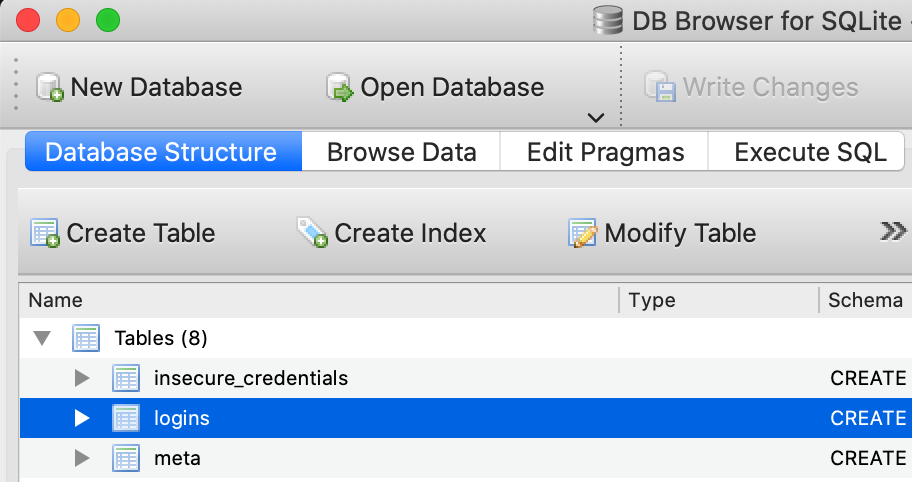
Please Exit / Quit BB; Restart computer; and then back up that folder. The Login Data file is an SQLite file. DB Browser for SQLite, is handy for viewing the file contents - you will not see the passwords in plain text, but you can verfify that the passwords exist.

Login Data file:

  • %LOCALAPPDATA%\BraveSoftware\Brave-Browser\User Data\Default\Login Data

SOMETIMES: A BB user has recovered passwords by using the backed up Login Data file; and sometimes by doing that PLUS using the backed up Local State file; and sometimes by a combination of: Resetting the Brave Browser Settings, using the backed up Login Data file, plus, using the backed up Local State file.

Local State File:

  • C:\Users\[UserName]\AppData\Local\BraveSoftware\Brave-Browser\User Data\Local State

FILE AND FOLDER PERMISSIONS - See:

  • https://community.brave.app/t/browser-wont-launch-after-install/606342/18 and
  • https://community.brave.app/t/brave-doesnt-start-when-i-run-it-as-administrator-and-brave-shield-doesnt-work/628494/41

RECOVERY, RESTORATION ← MUCH DEPENDS UPON:

  • Maintaining routine backups of the User Data folder (Windows OS)
  • Maintaining routine backups of the Brave-Software folder (Linux OS, MacOS)
  • System Restore Points (Windows OS)

LOCATION of BRAVE BROWSER INSTALLATION
With Brave Browser running, in a New Window, go to brave://version and scroll down to:

  • Executable Path
  • Profile Path

How to use DB Browser for SQLite, for viewing 'Login Data':

Add a filename extension to Login Data making either:

  • Login Data.db
  • Login Data.sqlite

Open the file, using DB Browser for SQLite.

From ‘https://carpentry.library.ucsb.edu/2021-11-04-ucsb-sql-online/03a-DB-browser/index.html

SELECT TABLE

BROWSE DATA / BROWSE TABLE

This topic was automatically closed 30 days after the last reply. New replies are no longer allowed.