Please edit your Original Post (“OP”) above, in order to include:
- Brave Browser version numbers
- Operating System version numbers
In a Brave Browser New Window, go to: brave://version ← there, you will find the version numbers. Also from that page, scroll down a little to find:
- Executable Path
- Profile Path
and report those paths, here, too. You may want to substitute “username” for your actual computer account name, in the path(s).
See:
Open issue at Github > Brave
Users being logged out of sites when closing the browser (on Windows):
‘All accounts (Google) getting logged out automatically - #3 by Mattches’
How do I manually submit crash reports?
https://support.brave.com/hc/en-us/articles/22281484910221-How-do-I-manually-submit-crash-reports
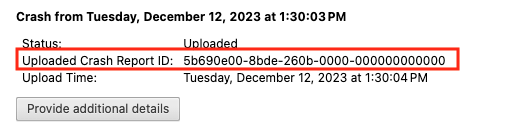
After you click the “Send Now” button, return to brave://crashes and gather up the Crash Report ID numbers that end with a string of zeros. Post the numbers, here, in a new reply. Example of a Crash Report ID number: