The same issue with fonts not rendering at all (empty white areas in some webpages instead of text) is back again on Linux and v1.84.132.
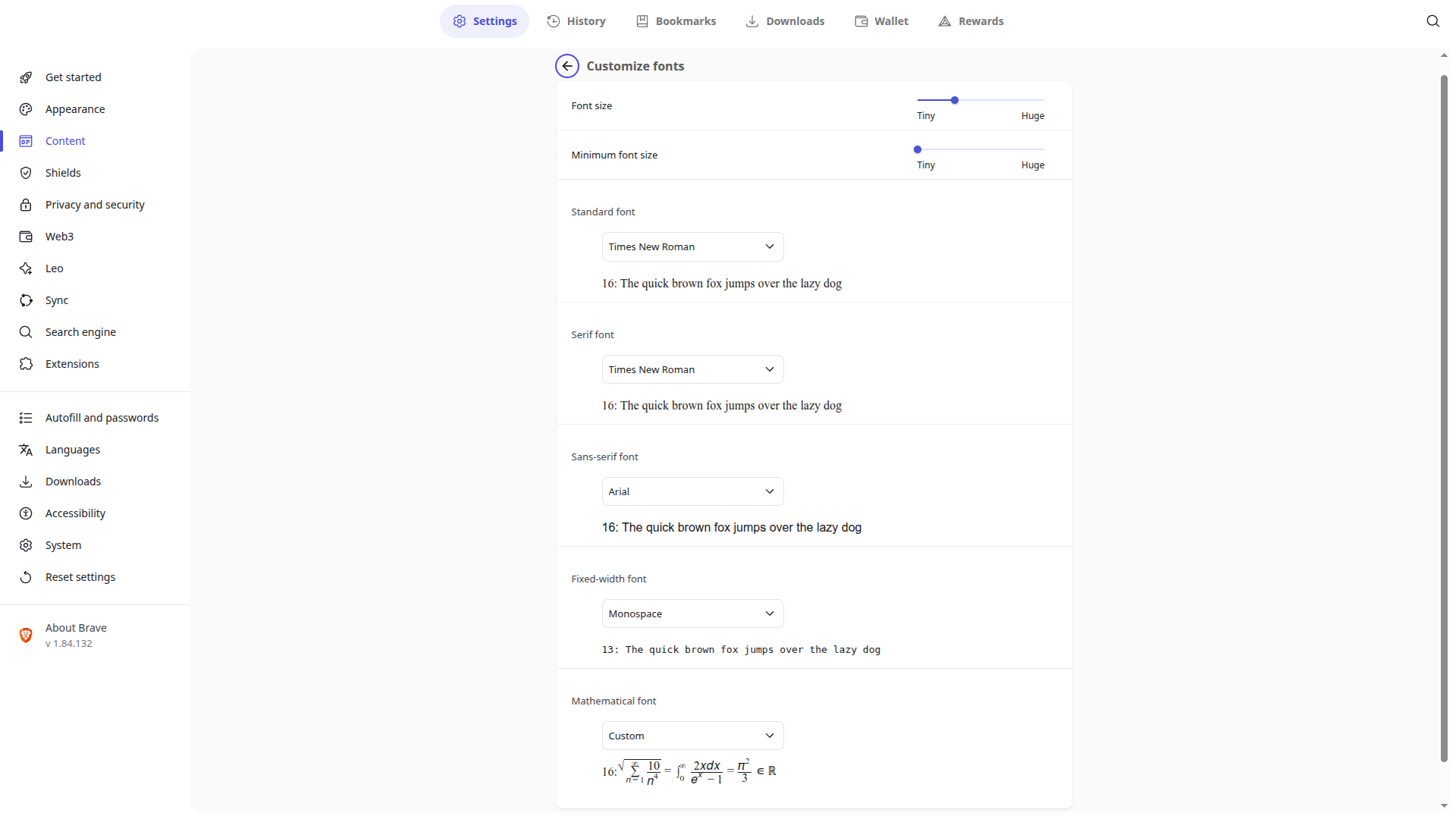
In the Brave settings for fonts I noticed that “Courier” had been selected for the standard font. Courier doesn’t really exist on my system AFAIK. Switching it to Sans made it work for pages that don’t define a font in CSS. But other pages that for example define this font family: -apple-system, BlinkMacSystemFont, "Segoe UI", Roboto, Helvetica, Arial, sans-serif the text is still rending as blank. See below.
I confirmed after downgrading to 1.83.120 that “Courier” does not exist on my system, it’s no longer an option in my font settings. So I think v1.83.132 is once again seeing fonts that do not exist, like 1.82.161 did because of that Chromium bug.
I noticed this issue happening both on a Flatpak install and from the release channel source. On my current Mint 22 setup with XFCE I changed the desktop font from what I was using to System-ui-Regular and restarted Brave. As long as I’m not using the font I previously had selected, Brave renders fonts correctly again.
This was taken with the system font set to Sans Regular as to get the fonts to show. If it makes any difference the previous system font I used was Helvetica Regular. In the past it has never interfered with Brave’s font rendering though.
The issue persists in v1.84.139. For me it seems like it’s detecting that I have Helvetica installed, which I do not. And anything that has Helvetica in the font family (early enough) just renders as blank.
Here, see my font settings, I can even select Helvetica as the default font and break even more websites that way, it also doesn’t render the sample text in the settings.
I solved it for me! It was my fault. For some reason I had dropped a cyrilic font into my .fonts directory for my user, and it setting itself as an alias for Helvetica. I removed it, rebuild my font cache and Brave now is ok. Here are some useful commands:
fc-match Helvetica will show you which font matches Helvetica, or any other font that you have the issue with. fc-match -v Helvetica will also show you where exactly the file is.
Then you can either remove the file or maybe use font-config to change the aliasing.