Description of the issue:
Starting from July 2, 2025, I noticed that when I play YouTube videos in the Brave Browser (mobile), some videos automatically play in the auto-dubbed audio version. There is no option available to switch back to the original audio within the Brave Browser.
However, when I open the same video in the official YouTube app on the same device, I see an “Audio Track” option where I can easily switch between the auto-dubbed version and the original audio.
This problem is making it difficult to watch YouTube videos in their original audio on the Brave Browser.
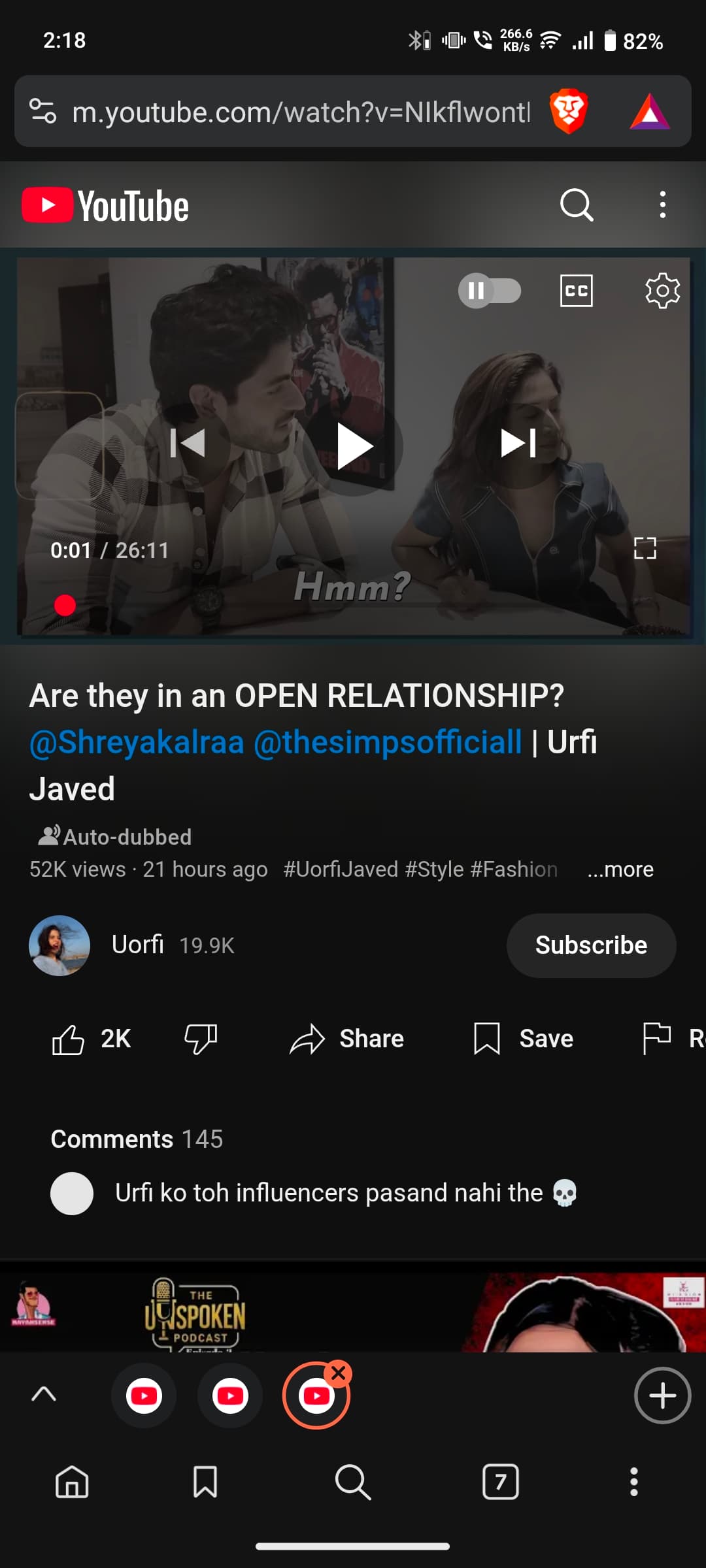
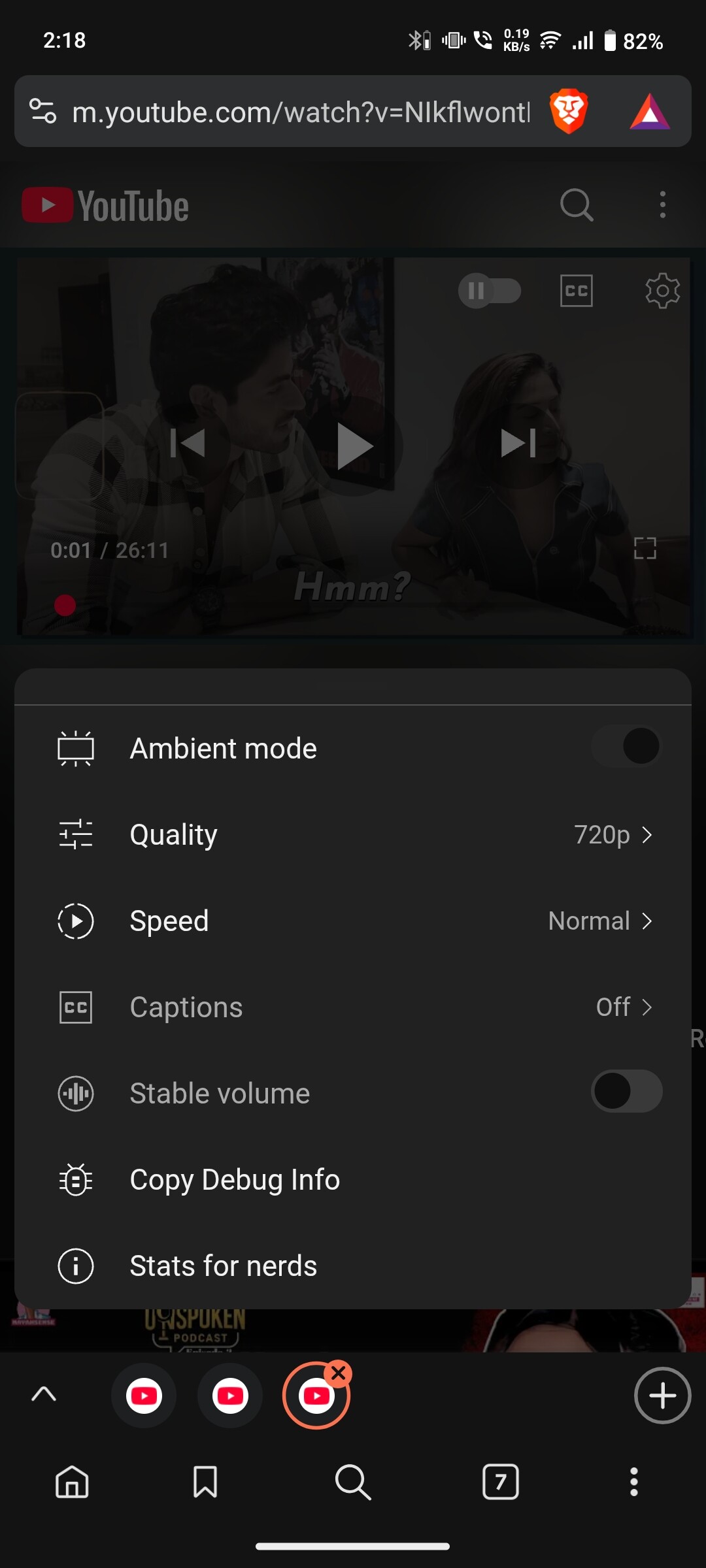

How can this issue be reproduced?
-
Open Brave Browser on a mobile device.
-
Visit YouTube (m.youtube.com) and play a video that has an auto-dubbed audio track. Example: https://m.youtube.com/watch?v=NIkflwontN0
-
Notice that the video plays only in auto-dubbed audio, and no option is available to switch to the original audio.
-
Open the same video in the official YouTube app on the same device.
-
In the YouTube app, use the “Audio Track” option to switch back to the original audio (this option is missing in Brave Browser).
Expected result:
There should be an option in Brave Browser (mobile) to switch between audio tracks for YouTube videos, similar to the feature available in the YouTube app, allowing users to revert to the original audio.
Brave Version( check About Brave):
Brave 1.80.113, Chromium 138.0.7204.49
Mobile Device details
Vivo V2334, Android 15, Funtouch OS 15
I would appreciate it if the Brave team could look into this issue. It would really help if we could get the same audio options as in the YouTube app. Thank you for your time and support!