After adding them to the shortcut search, as shown in the video, you need to click on the “three dots” icon next to it and select Make default:
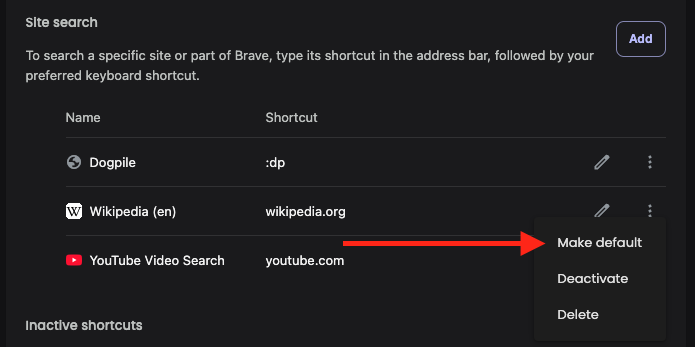
This will move that search engine from the Site search list to the Search engines list, of which these can be set as you defaults and will also appear in the Customize list section of the search widget on the new tab page.