Description of the issue:
As the title says, i am unable to download or upload files in brave browser. Since the download of brave around this year. I have disabled safe browsing, removed extensions, Reinstalled brave, i have checked on where it can download and ask me where to save and yet nothing works. I asked reddit but not a single soul replied me, Help. I keep going to chrome just to download and upload files.
Just minutes before this post i disabled safe browsing and i actually downloaded a file. A min later, the same issue came back.
Steps to Reproduce (add as many as necessary): 1. 2. 3.
A thousand times done and the same result.
Actual Result (gifs and screenshots are welcome!):
Spam clicking the save button and nothing works.
Expected result:
Unable to download or upload.
Reproduces how often:
Every time i download or need to upload something.
Operating System and Brave Version(See the About Brave page in the main menu):
Windows 1 1 Pro.
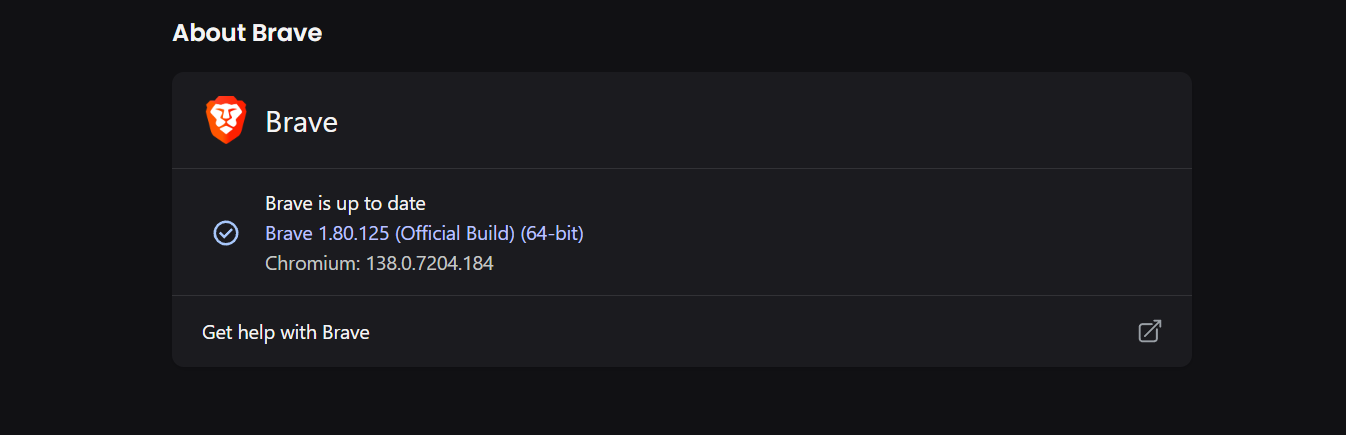
1.80.124
EDIT
Tried disabling brave shields, new user profile, file system access in windows, nothing blocking brave in windows defender, Reset brave, did sfc/scannow and dism/online/cleanup in windows, started brave as admin, nothing was blocking in group policy editor, i deleted this C:\Users<YourName>\AppData\Local\BraveSoftware after uninstalling brave.
I am using a Mac (MacOS 14.7.6) and Brave Browser 1.80.124; Private Windows; Global Shields UP; Global JavaScripts and Cookies Allowed. Using the previous update BB version, and especially with this BB version, I often encounter download failures - the downloads are incomplete, the process stops, and it does not rekindle.
I immediately switch to Firefox, which does not have a problem downloading.
Mozilla Firefox does not have a built-in adblocker like Brave Browser.
I use the uBlock Origin blocker - the add-on - with Firefox.
Generally, I prefer Brave Browser for its Privacy & Security features. I very much like the ability to control the granular Allow / Block of javascript sources. Also:
Tips regarding Brave Shields:
I have more success, with:
Brave Shields UP
Either Allow All Cookies or Block 3rd Party Cookies, but NOT Blocking All Cookies
Allowing JavaScripts from specific sources, but NOT Allowing All JavaScripts
Trackers & Ads treatment: Aggressive (at first), and then incrementally relaxing that setting
Fingerprinting (aka footprinting) blocking: Strict (at first), and then incrementally relaxing that setting
Then, right-clicked on your link that you gave in your reply re downloading BB Beta; result: I had to use Firefox to download.
The Downloads issue that I have with Brave Browser (stable, MacOS), is that large file downloads fail; the browser simply will not continue to download at some point in the process . . . downloads are incomplete.
So, as I wrote before, I use Firefox (where BB does not work).
already tried removing extensions, still persists. i downloaded beta and its still the same. the picture shown is beta yes? i didnt uninstall brave, i just downloaded beta while it was running and it also ask me to make it default browser.
@MysticZ you are in the right place.
I’ve escalated this issue to some of our Windows team to see what else might cause this. Given that it happens in new profiles/in Beta it seems like there must be something on the system side that is preventing you from downloading/uploading content.
Will let you know as soon as I hear back from them.
@MysticZ, would you be available to do a screenshare to somebody from our team (likely me) and reproduce the issue live on the call? Perhaps we could do a bit of quick debugging, and potentially identify the root cause.
Highly recommend @sampson’s suggestion – he will almost certainly be able to help you root out the cause.
If you’re uncomfortable going the screen sharing route, another test you can try is creating a new temp Windows user account and test the behavior in Brave using that to see if the issue is tied to your specific Windows account profile.


 Highly recommend