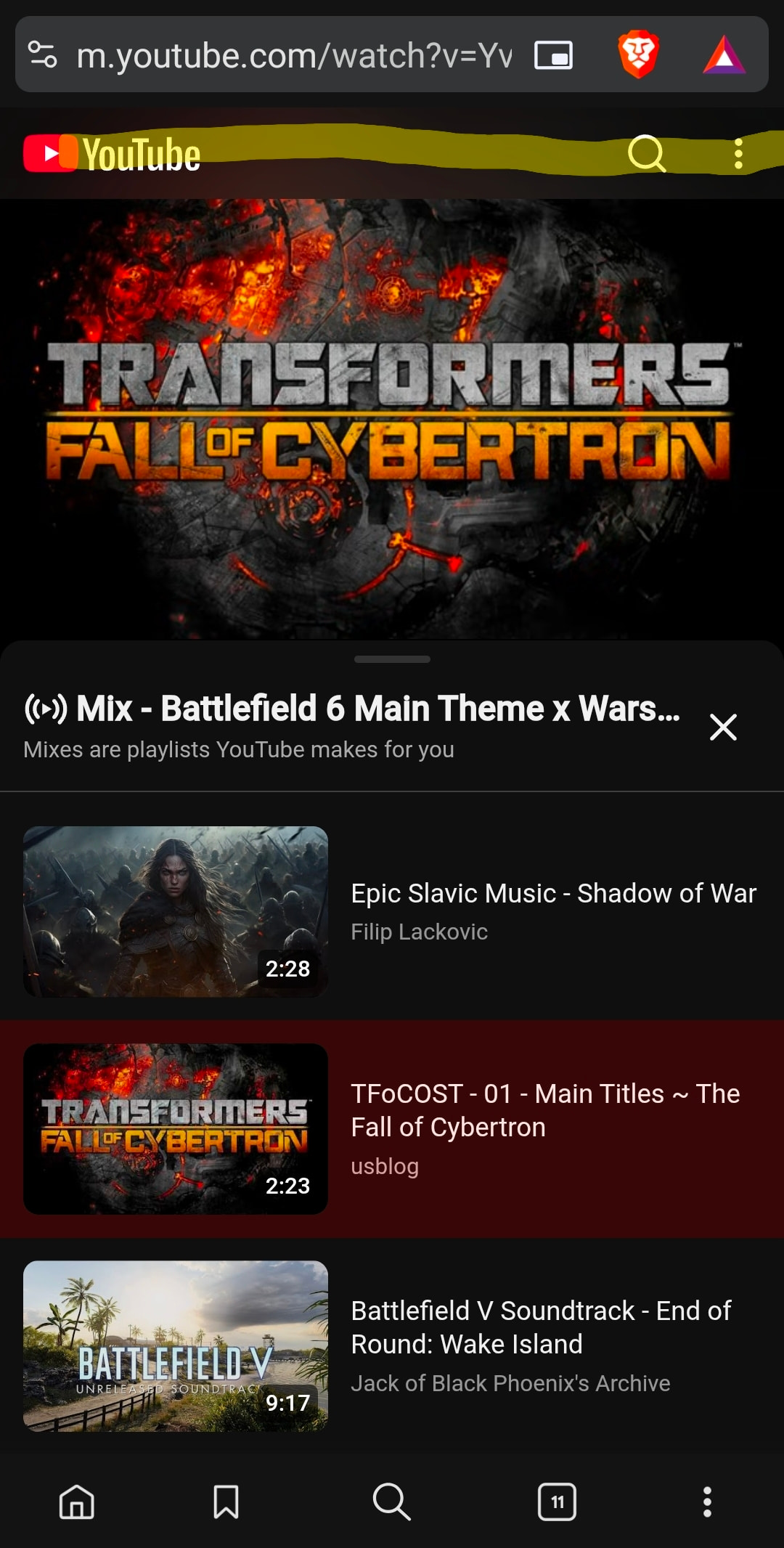
Description of the issue:
I am on Android on a S25+ and the YouTube home button in the top right as well as the search bar or the 3 dots on the right are not clickable. If I open a new tab they work for maybe one song/video and they become unclickable again. I lowered the brave shields to standard, turned off the open links in YouTube option and the app is on the latest version as per Google Play so I am not sure what am missing here. Any assistance would be welcomed.
If I switch to desktop site mode all elements are clickable but everything is so tiny it makes hard to use on the go.
Steps to Reproduce (add as many as necessary): 1. 2. 3.
Open YouTube in a new tab on android as many times as possible.
Actual Result (gifs and screenshots are welcome!):
The yellow highlighted section is not responsive/clickable at all.
Expected result:
Being able to click the YouTube home button or use the search bar without having to switch to desktop site mode.
Reproduces how often:
Every time I use the app on my phone
Operating System and Brave Version(See the About Brave page in the main menu):

Additional Information: