Hi Brave team,
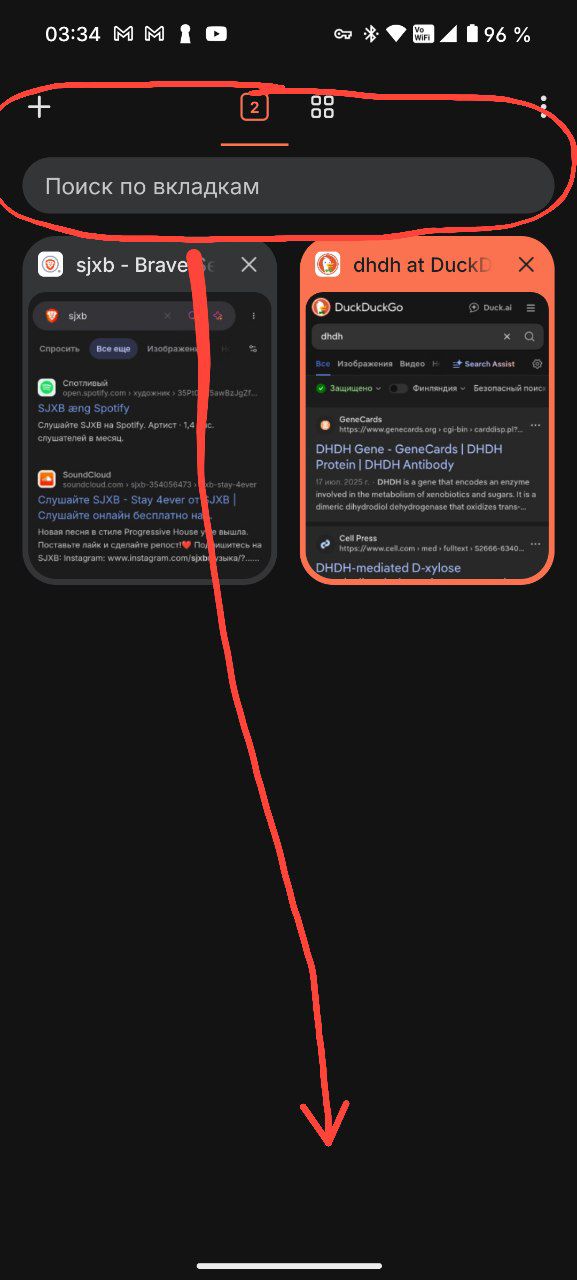
On mobile (Android), the tab management UI is currently at the top of the screen: the tab count button, the new tab “+” button, and the tab switcher are all positioned in the upper area. This makes it difficult to use the browser comfortably with one hand, especially on larger phones.
Problem:
Reaching the top of the screen to open a new tab, switch tabs, or close them requires stretching the thumb, which is awkward and often leads to accidental drops or strain during prolonged use.
Request:
Please add an option (or make it default) to move the tab bar and controls to the bottom of the screen, similar to how Chrome for Android offers a bottom tab strip in its experimental flags or how Firefox mobile handles it. This would include:
The “+” new tab button
The tab counter/switcher
The overflow menu for tab actions
This small change would significantly improve ergonomics and one-handed usability without affecting desktop or landscape modes.
Thank you for considering this accessibility and UX improvement!