@hotrod ,
The ATT.net Sign In webpage is: https://signin.att.com/
That (https . . .) URL address, is at the tail end of a convoluted re-direction (passing thru Yahoo web pages), that will eventually result . . . if, first trying: https://att.net
–
All of the following steps, assume that you normally wish to have Brave Browser > Shields: UP
With Brave Browser running, in a New Window, go to brave://settings/clearBrowserData
Examine all the settings for all three tabs: Basic / Advanced / On exit
Be certain that those settings are what they should be, for your usage. In time, you will have tested those arrangments, and figured out what you need, there.
Be certain – for tabs Advanced / On exit – to Disable: “Site and Shields Settings”
–
IMPORTANT: The cleaning / clearing away of cookies, thru that process, WILL NOT REMOVE ALL of them! If you are intent on removing all cookies, then you must also, in a New Window, be sure to go to: brave://settings/siteData and manually remove sources for cookies, there.
Quit Brave Browser. Wait a moment. Start Brave Browser.
–
The following entries of sources for cookies and scripts, can certainly be tested / tried, one at-a-time or in combinations, if you choose. But in this ATT.net case, I would use all the entries shown.
–
In a New Window, go to brave://settings/cookies
Scroll down that settings page, to Sites that can always use cookies
Click the Add button
Enter signin.att.com:443 as the site . . . but do not Enable
- Current Private session only
- Including third-party cookies on this site
Click the Add button
Repeat those steps for:
https://signin-static-js.att.com:443
api.login.yahoo.com:443
att-yahoo.att.net:443
caaid.att.com:443
currently.att.yahoo.com:443
login.yahoo.com:443
oidc.idp.clogin.att.com:443
start.att.net:443
www.att.net:443
www.yahoo.com:443
–
Next, go to brave://settings/content/javascript
Scroll down that javascript settings page to Allowed to use javascript
Click the Add button
Enter signin.att.com:443 as the site . . . but do not Enable
- Current Private session only
Click the Add button
Repeat those steps for:
https://signin-static-js.att.com:443
api.login.yahoo.com:443
att-yahoo.att.net:443
caaid.att.com:443
currently.att.yahoo.com:443
login.yahoo.com:443
oidc.idp.clogin.att.com:443
start.att.net:443
www.att.net:443
www.yahoo.com:443
–
I do not have an ATT.net account, with which to discover probable additions, via Brave Browser > Developer Tools.
–
Developer Tools > Network tool is where you search for sources of scripts and other items that will qualify despite their not being obvious scripts.

–
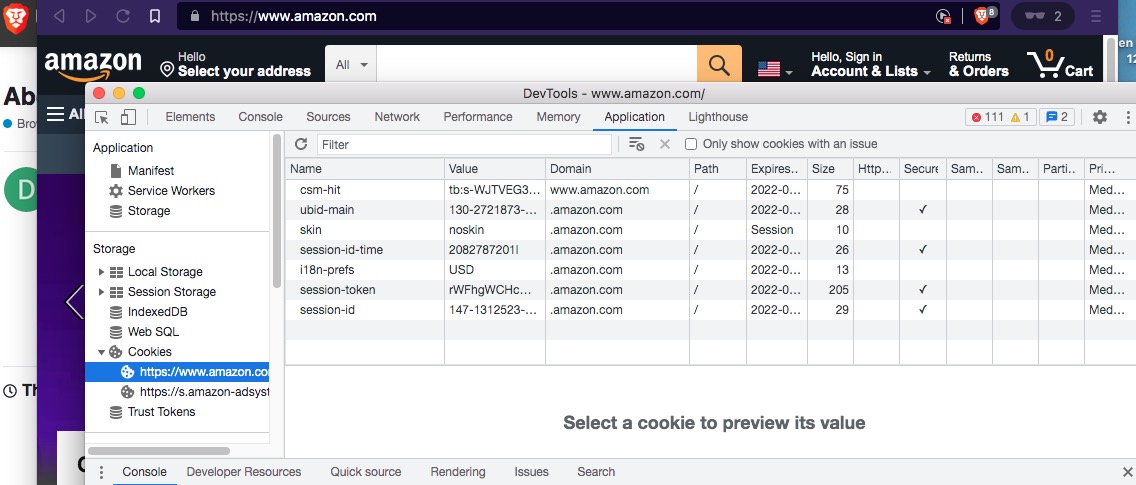
Developer Tools > Application tool is where you will find the sources of cookies.
–