A serious issue, when purchasing search API from Brave, all my valid cc are getting declined

I am facing a payment issue while trying to subscribe to the Brave Search API. Below are the exact steps and observations for clarity:

  1. Logged in to https://api-dashboard.search.brave.com/app/dashboard

  2. Navigated to Available plans and selected a subscription plan

  3. Attempted payment using both:

    • Direct payment link

    • Manual credit card entry

  4. Result:

    • Every valid credit card attempted was declined by the payment gateway

    • Cards used are active, enabled for international and online transactions, and work successfully on other platforms

    • The failure occurs consistently at your gateway

This does not appear to be a card-side issue and looks like a gateway or account-level restriction.

Please investigate from your end and advise on

Expected result: Transactions must go through.

Brave Version: Brave 1.86.146 (Official Build) (64-bit); Chromium: 144.0.7559.110

Additional Information:
I have attached a screenshot of the error for reference. Sometimes it shows ‘cancelled’, and most of the time it shows ‘payment declined’. Card declined.

@sneakywarwolf thanks for flagging. The Support email for Search API related issues is searchapi-support@brave.com. Please reach out directly there and they’ll be able to assist.

Thank you

@sneakywarwolf
facing same issue. It is fixed your side?

Looks like they brave may encounter an issue. Mine slightly different, getting error message ‘subscription with this card already exist’ and it does not allowed me to subscribe.
Had been trying this for the last 2 days.

facing same issue just now, is there any solution yet?

facing same issue. None of my cards are working.

Make sure that you are not blocking, and some browsing security service/system is not interferring with, Stripe’s domains / hostnames, and with Stripe’s JavaScripts from any of:

api.stripe.com
assets.stripeassets.com
b.stripecdn.com
buy.stripe.com
checkout-cookies.stripe.com
images.stripeassets.com
merchant-ui-api.stripe.com
www.stripe.com


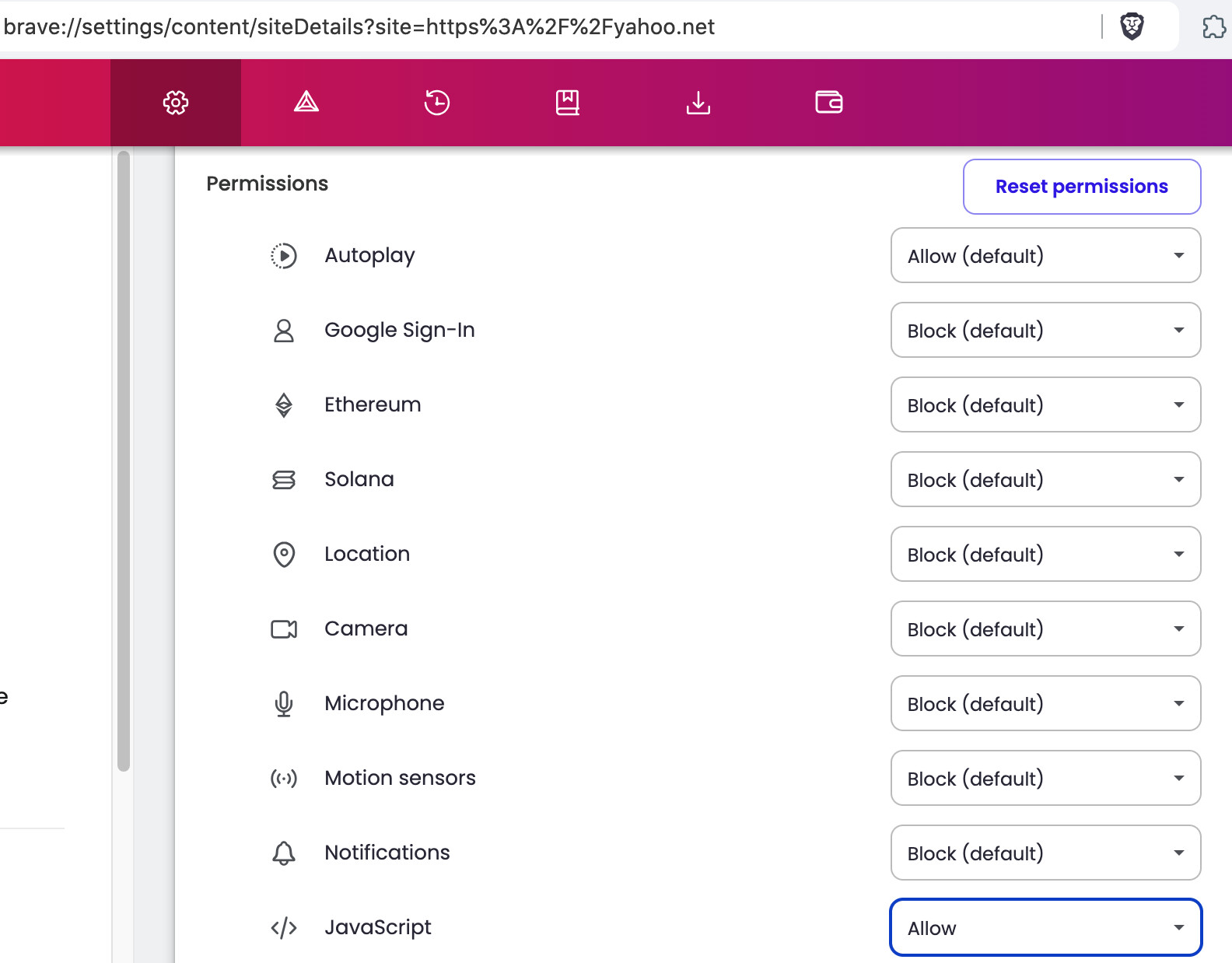
In a Brave Browser New Window, go to each of the following Brave settings pages:

brave://settings/content/siteDetails?site=https%3A%2F%2Fstripe.com
brave://settings/content/siteDetails?site=https%3A%2F%2Fstripeassets.com
brave://settings/content/siteDetails?site=https%3A%2F%2Fstripecdn.com

and for each, be sure to Enable JavaScript AFTER clicking the Reset permissions button. Thereafter, Exit / Quit everything; and Restart computer.

Example of the Brave > settings > site details page (screenshot from an older version of Brave Browser):


Tips regarding Brave Shields:

I have more success, with:

  • Brave Shields UP, but . . .
  • Either Allow All Cookies or Block 3rd Party Cookies, but NOT Blocking All Cookies
  • Allowing JavaScripts from specific sources, but NOT Allowing All JavaScripts
  • Trackers & Ads treatment: Aggressive (at first), and then incrementally relaxing that setting
  • Fingerprinting (aka footprinting) blocking: Strict (at first), and then incrementally relaxing that setting

I almost NEVER use:

  • All of Brave Shields UP
  • All of Brave Shields DOWN

Shields Basics

How do I configure global and site-specific Shields settings?

How do I use Shields while browsing?

Bad troubleshooting flow.

Their errors are specific, they would NOT be seeing errors about being “declined” or “card already exists” if such domains were blocked.

“Declined” specifically came from the payment processor for example, no such domains were blocked then.

Having the same issue

Please make sure to do as Steeven shared if you need help.

Hi all, the payment failures are likely due to metered billing not being enabled on your card. Metered billing means charges based on usage (e.g., $5 per 1,000 API requests), which some banks block by default.

To fix this:

  1. Contact your bank and ask them to enable “metered billing” or “usage-based billing” for your card

  2. Try a different payment method

If the issue persists after enabling metered billing, contact searchapi-support@brave.com for direct support.

I have the same issue with googlePay and different CC

@olehdutko did you look at the official response and suggestion or did you just simply add a “me too” reply? If you need help, it would be good to follow the instruction given. Thanks.