Description of the issue: How can this issue be reproduced? (Full Explaining of the issue)
Hi,
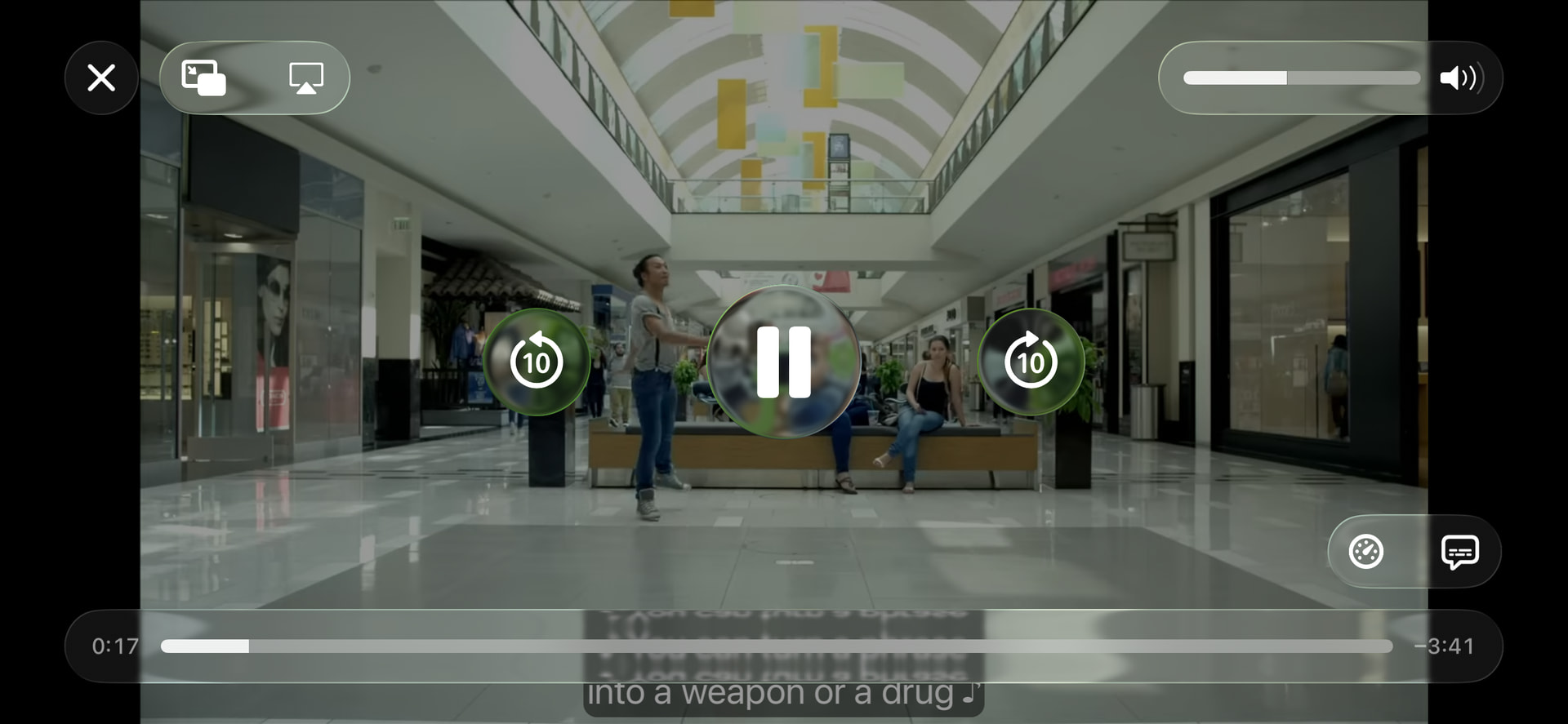
When using YouTube in the Brave browser on my iPad, the video controls and subtitles disappear when I switch to full-screen mode. They only reappear after exiting full-screen.
Could you please look into this issue?
It doesn’t happen in Chrome, but I’d prefer to keep using Brave.
Thank you for your help.
@Drem59y this happens on all browsers. It is an issue between iOS and YouTube in general. I reached out to Apple about it long ago and they weren’t helpful. But if you test you’ll see the same thing happens on Safari and others.
Umm, I’m not sure if there’s a difference with iPad but I just tested with Chrome on my iPhone and it works the same way where captions don’t persist
This is a Youtube and WebKit issue.
With some JS & CSS it can be partially fixed but requires a lot more work to get it fully working:
This lets the video element itself go full-screen instead of using the native iOS video player, aka: faux fullscreen.
But this isn’t a great fix, and a real fix should be done by either Apple or by Youtube.
Youtube used to support faux fullscreen in Safari via calling .enterFullscreen() on the div tag/container tag, but it seems this has been removed and it always defaults to the WebKit video player which doesn’t seem to have subtitles (Youtube can either fix the subtitles for it, OR use faux-fullscreen).
Otherwise it would require quite a bit more work to actually get this working, and that involves reverse engineering the page pretty much, as we’d have to write our own full-screen handling and resize the subtitles overlay to fit and so on.
@Mattches you have an iPad you can test on, right? I’m curious if this really is somehow working on Chrome as OP mentioned?
If so, not sure what the difference might be. Either way, figured might be good to tag just a reminder this is something that still gets requested on occasion and would be nice if ever can get a good “fix” for it.
Yeah everything you said @Saoiray is accurate here. I checked on my iPad just to make sure and those specific controls do indeed disappear. Annoying for sure but it does appear to be an upstream issue. I can try and poke around and see if there’s anything additional we can be doing.
Using the OS fullscreen video player won’t contain captions since YouTube won’t have subtitles associated with the video itself but instead use their own caption system. When we support proper HTML fullscreen mode it will work better, but nothing actively happening on that front at the moment.
As you can see, all of the controls (and more importantly the subtitle) are visible in Safari. (Apologies, it is Safari, not Chrome; I haven’t tested Chrome yet.)
If you are curious, my iPad is an iPad Pro M2 (4th generation) 11-inch, running iOS (18.7.1).
I tested Chrome, and neither the controls nor the subtitle showed up in full-screen video mode on YouTube. However, as I said earlier, they do work (or show) in Safari.
@Drem59y so far I’m not seeing it happen reliably. As you mentioned, it does seem some are working. So like the top link here had subtitles options when I was watching. But then the next video, linked below it, didn’t.
This may be like they were saying earlier where there’s something more between YouTube and iOS where it can trigger. I’m not sure of the “magic” for it yet. The only thing I did notice is the times where it would continue to work is where the video automatically launched in full screen whether I wanted it to or not.
I am not sure whether you see the same unpredictability in Safari. However, one thing to keep in mind is that Safari is built into the iOS system, and Apple sometimes enables features for their own apps that are not available to others. Apple has a long history of controlling access by restricting what third party apps can do compared to their own. Their goal is to keep users within the Apple ecosystem.
This is something I’m sure will be looked into. If you can monitor and see if you notice any randomness or particular, it might help as well. But for now it just seems to be the same issue as at least Chrome, Firefox, Edge etc.
I really appreciate your help and clarification. Regarding the videos you mentioned (as well as a few others I tested), all of them display the control buttons and subtitles properly when using Safari.
It’s not a major issue for me, so I don’t mind waiting until it gets fixed.
I can confirm that. Subs do work in Safari/iPadOS in fullscreen, but not reliably. In some vids they don’t appear, or stop working, while the vid plays on.