When I right-click an element in inspect element nothing shows up. However, if I do the same in Google Chrome, a whole context menu shows up. Why can’t I do that in Brave? If I want to copy the Xpath of an element I am not able to do so in brave.
What Brave version and OS are you using? Can you share a screenshot of what you do see when right clicking? cc @Mattches
I’m on v1.42.95 and windows 11. Nothing happens if right click while on the brave. However, this is what it shows on chrome -
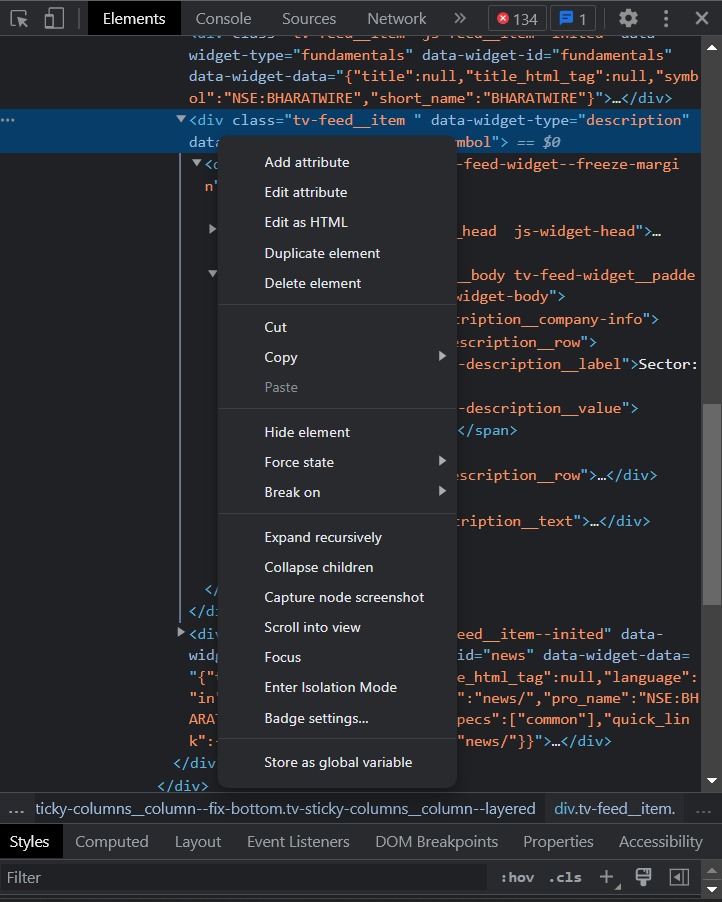
@walkerf27,
Do you get the same results if you try to do his in a Private browsing window?
Yes, I just tried. Nothing’s happening when right-clicking on an element in the private browsing window as well.
Hi
Try this:
-
Zoom in and zoom out with ctrl + “-/+” or ctrl + scroll_wheel till you cross the 100% line, make sure you zoom in and zoom out all the way.
-
Or use the small three dots …

hey, this worked. Somehow, right-click is working only if inspect element is zoomed in. Thank you so much!
1 Like
This topic was automatically closed 60 days after the last reply. New replies are no longer allowed.