Brave is having issues accessing the AOL webmail site.
The following message keeps popping up.
This only happens with Brave and only with this one site.
This has only started happening in the past month or so.
The error comes up after entering the username and password.
289wk
February 7, 2026, 5:28am
2
@MichaelBlucher
Please edit your Original Post (“OP”) above , in order to include:
Brave Browser version numbers
Operating System version numbers
In a Brave Browser New Window, go to each of the following Brave settings pages:
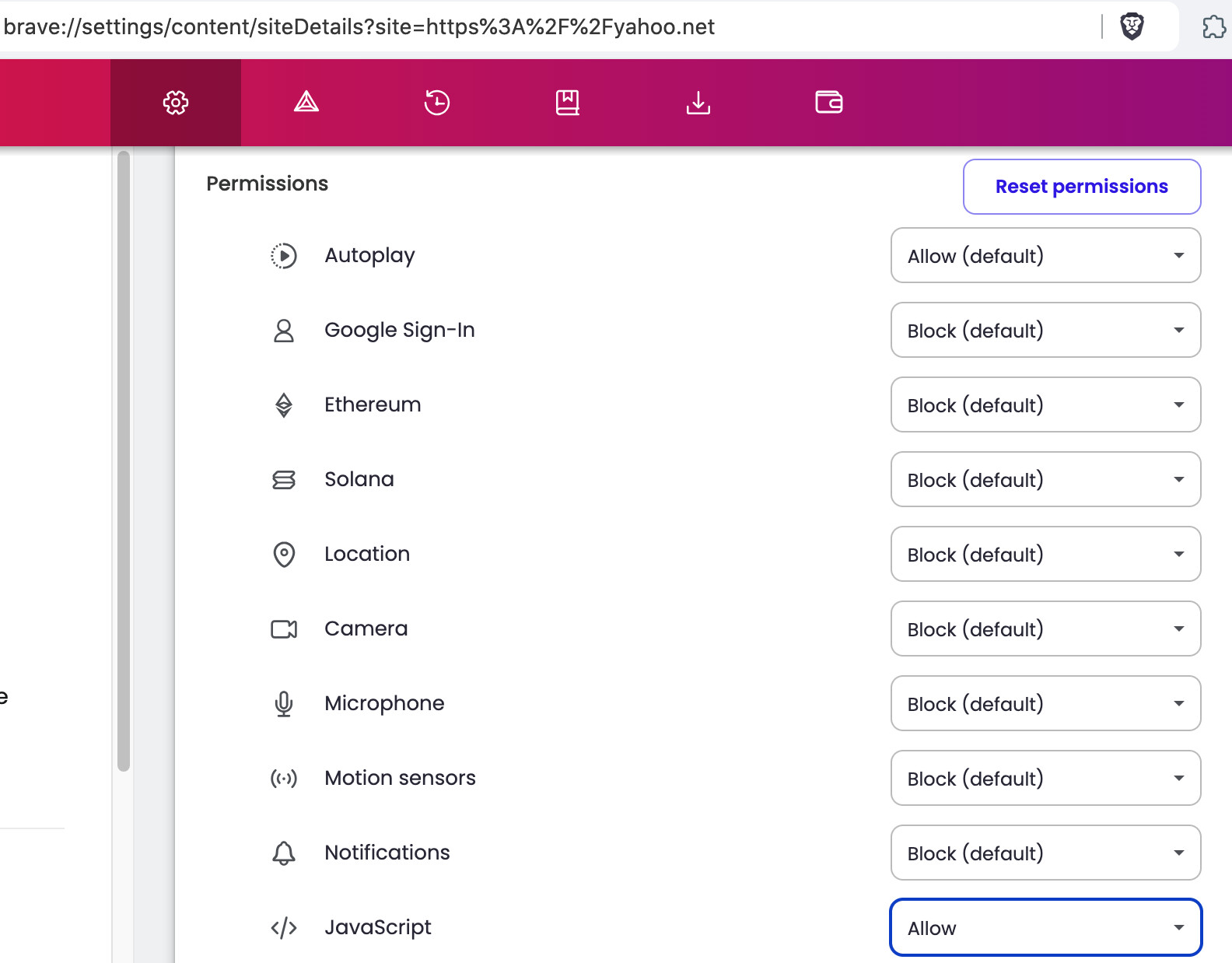
brave://settings/content/siteDetails?site=https%3A%2F%2Faol.combrave://settings/content/siteDetails?site=https%3A%2F%2Faol.netbrave://settings/content/siteDetails?site=https%3A%2F%2Fyahoo.net
and for each, be sure to Enable JavaScript AFTER clicking the Reset permissions button. Thereafter, Exit / Quit everything; and Restart computer.
Example of the Brave > settings > site details page (screenshot from an older version of Brave Browser):
Tips regarding Brave Shields:
I have more success, with:
Brave Shields UP, but . . .
Either Allow All Cookies or Block 3rd Party Cookies, but NOT Blocking All Cookies
Allowing JavaScripts from specific sources, but NOT Allowing All JavaScripts
Trackers & Ads treatment: Aggressive (at first), and then incrementally relaxing that setting
Fingerprinting (aka footprinting) blocking: Strict (at first), and then incrementally relaxing that setting
I almost NEVER use:
All of Brave Shields UP
All of Brave Shields DOWN
Shields Basics
How do I configure global and site-specific Shields settings?
How do I use Shields while browsing?
Also: ‘Error accessing https://mail.aol.com - #7 by Mattches ’
I already have those settings set (JavaScript Allow) for those websites.
@MichaelBlucher have you tried turning Shields down for the site and/or clearing cache/site data for the site?
I clear all of my browser caches completely on a weekly basis.
Turning Shields down on a site?
I have no idea how to do that.
Visit the website, click the “lion” icon in the address bar (to the right) to reveal your Shields panel. Click the toggle to turn Shields “off” and test to see if the site loads correctly.
More on Shields here:https://support.brave.app/hc/en-us/articles/360022973471-What-is-Shields
I did that.
I turned shields off for the site, but the problem has now become intermittent.
It comes and goes. Actually, the error comes up more often than not.
Can you please try logging in using a Private browsing window?
Private browsing window gets the same error message.