Description of the issue:
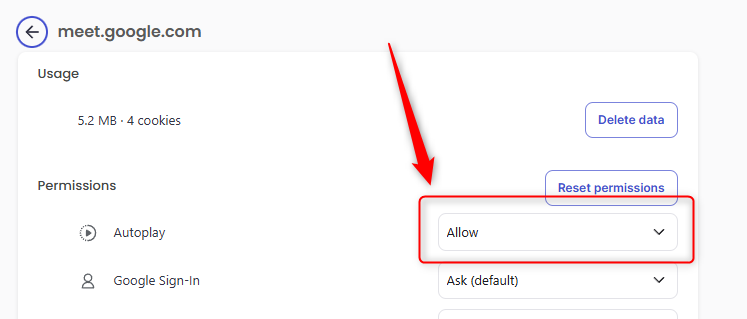
This is a follow-up report regarding a persistent screen-sharing issue. In a previous, now-closed topic, support member @Matchess suggested changing the Autoplay setting for meet.google.com from “Allow (default)” to “Allow”.
This solution worked perfectly for a bit but has since stopped working. The original problem has returned, even though the Autoplay setting remains “Allow”.
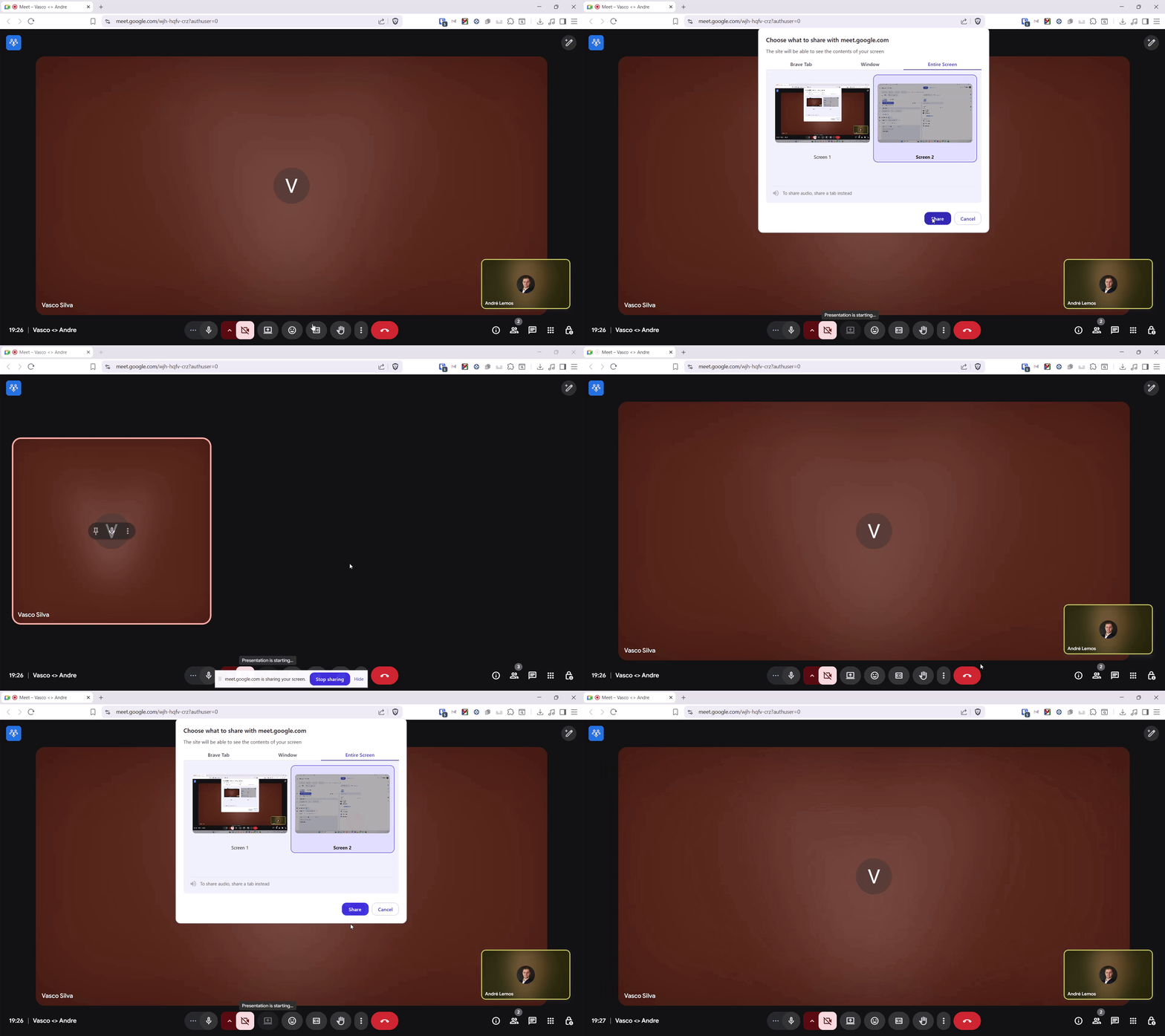
The core issue is that when using Brave, sharing the “Entire Screen” in Google Meets fails. This problem is specific to Brave, as Google Chrome handles the same action without any issue. The screen flickers as if it is about to start sharing, but then immediately cancels and returns to the main Google Meet interface.
Steps to Reproduce:
Open a meeting scheduled in my calendar through the Brave browser.
Click the “Present now” / “Share screen” button.
From the pop-up menu, select the “Entire Screen” tab.
Choose one of the connected screens to share.
Click the “Share” button.
Actual Result:
[GIF illustrating the issue below] The screen sharing fails. There is a brief visual motion as if the presentation is starting, but it immediately stops, leaving me in the meeting without sharing my screen.
Expected result:
The selected screen should begin sharing successfully on the first attempt.
Reproduces how often:
The issue happens consistently on calls with several people - if I create an “instant meeting” on google meets by myself, I am usually able to share the screen. But whenever I join a calendar meeting with several people this usually happens.
Operating System and Brave Version:
OS: Windows 11, OS Build 26100.4652
Brave Version: 1.80.120 (Official Build) (64-bit)
Chromium: 138.0.7204.101
Additional Information:
This is a follow-up to a closed topic. The previous fix (setting Autoplay to “Allow”) was only temporary.
The issue does NOT occur in Google Chrome on the same machine and setup.
A clean reinstallation of Brave has already been performed.
All browser extensions have been removed to test for conflicts.
Brave Shields are disabled for meet.google.com.
Hardware: Lenovo ThinkPad T16 Gen 1 with multiple monitors.
I am facing the same issue! Also with a lenovo thinkpad. I have tried everything what i could find in the forum (set settings to allow, disable acceleration hardware, checking if it is updated, disabling shields, checking extensions) and still doesn’t work. Any solution for this?
I have the exact same issue. I cannot share a Window or Entire Screen in a Google Meet. The same behaviour as outlined above; it shares for half a second and then stop the sharing.
I’m on Brave v 1.81.136 on a Lenovo Thinkpad P1 G2.
Same issue here, for months now. Tried alter permissions, reinstalling the browser and everything in between.
The best I could get was to share tabs, but I normally need the whole screen for my job. I mainly need it on Discord which has basically the same behavior as the noted google meet which also does not work here.
Any real fixes yet? I`ll even settle for installing an older version if it solves it
I’m still struggling with this, there appears to be no working fix. I’d happily go to a old version or nightly build if that were to fix this issue (which is affecting my work greatly). I don’t want to change browsers, but almost feel like I have to. How do we escalate this issue?
Same here, I need it for work and to constantly change browsers just to share the screen. No working fixes here so far as well. I wish this got more attention.
The screen recording @andrelemos shared ends kind of early so I’m not sure what you all are actually seeing. A moment ago I tested this and was able to share my screen without any issue.
@brunoggdev mentions that this isn’t working in Discord for them either, which to me points to a OS permissions issue of some kind. Can anyone encountering this please confirm that they have the Let apps take screenshots of various windows and displays option toggled “on” in Settings --> Privacy & Security --> Screenshots and apps on their Windows system?
Sorry for my OS is in Portuguese, but I believe the print is still useful as I have all 3 toggles on. What I find weird is that it says that the apps that have asked for permissions would be listed there but Brave isn’t. Could this be the reason? I couldn’t find a way to make it happen…
Hmm strange – just tested on my Windows 11 system and was able to screen share but I was not asked any permission by the OS, nor did it appear in the list of approved apps. But it didn’t stop me from screen sharing. Let me do some more digging on this.
I’m not sure if it’s related, but I deleted my Google data at brave://settings/content/all, and it seems that full screen sharing started working. Can anyone else try it and confirm?
I haven’t made any changes, only kept Brave updated and did any necessary/recommended Windows 11 updates. I can now share specific windows and entire screen again.