My Brave keeps crashing [Macbook]

Hi there,

Today my Brave started to crash every 15min to 30min. I will paste the error code below as I don’t understand anything about coding. I already uninstalled and installed again and the problem still continues. Can anybody help me here? I really don’t want to change my browser and use google chrome.

Process: Brave Browser [60260]
Path: /Applications/Brave Browser.app/Contents/MacOS/Brave Browser
Identifier: com.brave.Browser
Version: 102.1.39.120 (139.120)
Code Type: X86-64 (Native)
Parent Process: ??? [1]
Responsible: Brave Browser [60260]
User ID: 501

Date/Time: 2022-06-10 21:21:10.907 +1000
OS Version: Mac OS X 10.14.6 (18G9323)
Report Version: 12
Bridge OS Version: 5.5 (18P4759a)
Anonymous UUID: AAA1D9F8-8910-0BF3-F55D-A5855531802A

Sleep/Wake UUID: 2D71111C-E585-4B7E-BE26-E580B9E9772E

Time Awake Since Boot: 1600000 seconds
Time Since Wake: 57000 seconds

System Integrity Protection: enabled

Crashed Thread: 0 CrBrowserMain Dispatch queue: com.apple.main-thread

Exception Type: EXC_BREAKPOINT (SIGTRAP)
Exception Codes: 0x0000000000000002, 0x0000000000000000

@DaviPinheiro

Please go to your Mac System Preferences and make sure that your clock (Date & Time) setting is close to being accurate. Mac OS is fussy about the date, especially.

Next, Exit/Quit everything.

On a Mac, the BraveSoftware folder is located at:

/Users/your_username/Library/Application Support/BraveSoftware/

Drag that BraveSoftware folder to the Trash (but do not yet empty the Trash).

Next, locate the Caches folder at:

/Users/your_username/Library/Caches/

and move both:

  • com.brave.Browser
  • BraveSoftware

. . . folders to the Trash (but do not yet empty the Trash).

Locate the Preferences folder at:

/Users/your_username/Library/Preferences/

Therein, find the com.brave.Browser.plist file and drag that file to the Trash (but do not yet empty the Trash).

Close all windows.

Restart your Mac.

–

The latest Brave Browser v1.39.122 installer for your Mac, is at:

Scroll down to the Installer that is appropriate for your Mac computer (Intel - x64). . . and at your discretion (what you believe your computer needs), select either of the .dmg or .pkg installation files. (Try the .dmg installer, first.)

Install Brave Browser v1.39.122

–

After installing Brave Browser v1.39.122 . . . IF Brave Browser will not launch and keep running successfully, then return to where the BraveSoftware folder is located:

/Users/your_username/Library/Application Support/BraveSoftware/

. . . and drag that BraveSoftware folder to the Mac Desktop.

Try again, to start Brave Browser and run with it.

–

PS. You may need to make the Library folder visible:

/Users/your_username/Library/

See:

–

Footnote: Known Issue (ref.):

–

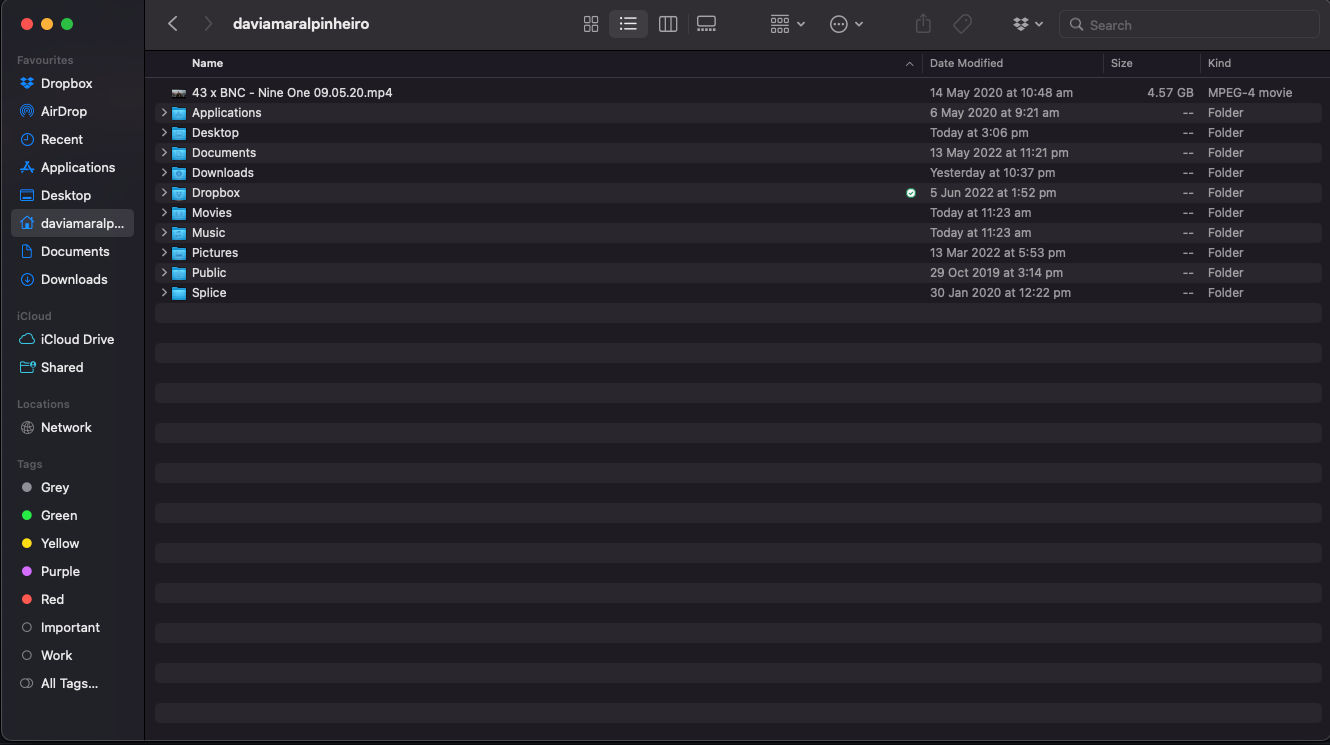
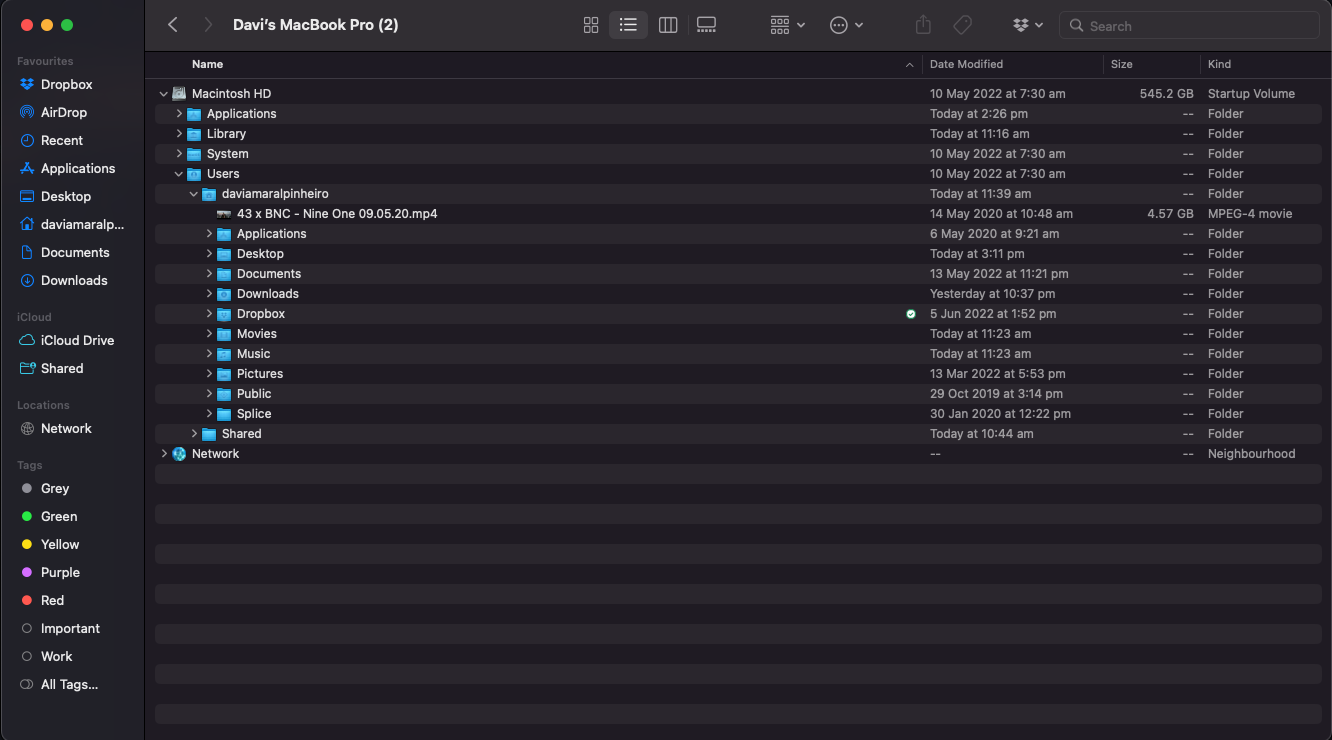
Thanks for your help here. I’ve tried to locate all these files and put them in the trash, however, as you can see in the screenshots attached I don’t have any of these folders or files mentioned above. Maybe that is why I am having this problem?

The only place I can locate any Brave file is at the Application folder.


@DaviPinheiro

You are a bit lost - and incorrectly looking at, and into, the root level /Library folder.

So, I narrowed down the path selection, from 3 (that I wrote about, earlier) to 1:

/Users/your_username/Library/Application Support/BraveSoftware/

–

To bring you up to speed, on the Mac, the following, leading portion of a path to a file or folder:

  • /Users/your_username/

can be written using either substitution:

  • $HOME/
  • ~/

So, for example:

$HOME/Library/Application Support/BraveSoftware/

means:

/Users/your_username/Library/Application Support/BraveSoftware/

–

I can’t see the Library folder in any of these destinations:

/Users/your_username/Library/Application Support/ BraveSoftware /
$HOME/Library/Application Support/ BraveSoftware /


I found it! It was hidden, but I got it now. I will follow your steps

I’ve done everything and seems like it’s working again, however I’ve lost all my bookmarks. Is there a way to recover them?

@DaviPinheiro

Exit / Quit Brave Browser

The ‘Bookmarks’ and ‘Bookmarks.bak’ files are located at:

  • /Users/your_username/Library/Application Support/BraveSoftware/Brave-Browser/Default/Bookmark

  • /Users/your_username/Library/Application Support/BraveSoftware/Brave-Browser/Default/Bookmark.bak

You would REPLACE THOSE with the same-named files that you might still have, elsewhere . . . therefore:

  • Less likely: Look within the sub-folders of the BraveSoftware folder that you placed on your Mac Desktop

  • More likely: Look within the sub-folders of the BraveSoftware folder that you moved to the Trash (but did “not yet empty”)

–

You can probably tell which set of the Bookmarks files has data - because of their file size.

–

If no luck, you might successfully export Bookmarks to a ‘bookmarks.html’ file . . . from an older/previous browser installation, and then import from that file.

–

I am gonna try that. Thanks for your help!

@DaviPinheiro

I created the following ‘crash course’ (see link, below), in order to help a Brave Browser user to learn more about Brave Browser > Settings.

An object of the exercise, is also to see that the RED circle icon (containing a tiny exclamation mark) at the left end of the URL address field, is sometimes an indication of an access glitch.

Another object of the exercise, is also to help gain a bit more steady access to YouTube and to G-mail. Both of which websites, are now part of Google’s ‘One Google Account’ Sign-In system:

I maintain Aggressive / Strict Shields controls and generally leave the Global Shields settings at that. Global Shields: brave://settings/shields

Then, I Allow select sources of JavaScripts, and sometimes Cookies:

  • brave://settings/content/javascript
  • brave://settings/cookies

Much like setting up a firewall to Deny access as a default, but Allow specific INCOMING traffic.

While the usual advice, here at the Brave Community, is to rely upon the site-specific Shields (Lion icon) panel.

I do adjust on occasion, the settings of that site-specific Shields control panel(s) - usually while testing a Web Compatibility issue. But, I much more often Allow sources as previously mentioned, and, as you will see at the following link:

‘Brave designated youtube as unsecure webpage - #2 by 289wk’

–