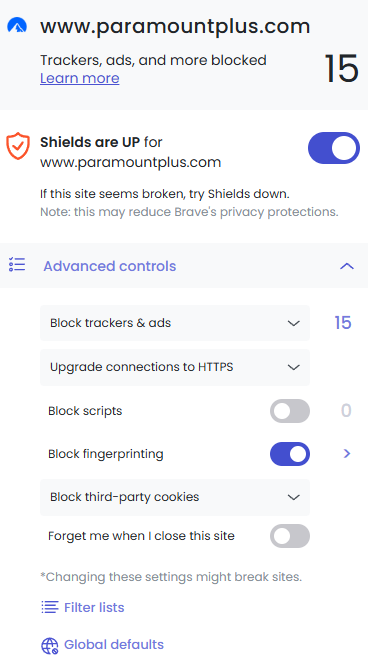
Description of the issue: I occasionally like to watch Paramount+ from my laptop. For some reason when watching with Brave my watch information is not getting saved. It keeps me logged in, but it’s not tracking my last watched episode, or where i leave off on a movie. How can this issue be reproduced?
Watch a show on Paramount+ from Brave Desktop - Windows, then close the browser and reopen. In my case what i just watched was not saved.
Expected result: Being able to quickly pick up where i left off on a show or movie.
Can you quickly test and see if you disable Shields, stream some content, then pause, close the site/browser, then relaunch, if the site remembers the place as expected?
Okay.. So yep dropping Shields does fix the issue.
The downside is I have to deal with the ads before my show begins, but it’s a bigger time-sink having to hunt down where i left off every time anyways.
So on our end we’re not able to reproduce this issue. Paramount seems to remember the playback position for me with Shields enabled.
Can you please try turning Shields back on for the site and testing again (making no other changes) to see if the issue persists?
I find it strange that Shields has any effect on this at all, considering that (as I just confirmed), most streaming services store playback position for a video on an account server side – this is why you can watch something on your PC, then go to your Smart TV and resume the content from where it left off (as opposed to storing a cookie or data of some kind on the device – if that was the case, the position would only be remembered on that device and viewing it on a new device would start it from the beginning).
I then closed the browser and reopened it. It held on the ability to resume the show, so I watched about 5 minutes of it, and then closed the browser again.
Upon reopening the browser and clicking resume, it did not save those 5 minutes I just watched and started me back at 5 minutes in the past.
Is the VPN active when testing this? Either way, can you try disabling the extension and testing again?
If you get the same results, can you then try creating a fresh browser profile (Menu --> More tools --> Add profile), close your original profile window (so only the new profile window is open), then logging into the site and testing in the new profile?
Thanks for testing. Will continue to look into this but I suspect it is somehow specific to either your browser/profile or your Paramount account, given that we cannot reproduce the issue on our end.
I watched 10 minutes of another program (with Shield on), then closed out and reopened. The new program shows up correctly. Then i went back to the one i’ve been watching, and now it’s keeping up with it correctly also….
I dont quite understand why watching another program fixed things… Or why before it would save my progress only with Shields off….