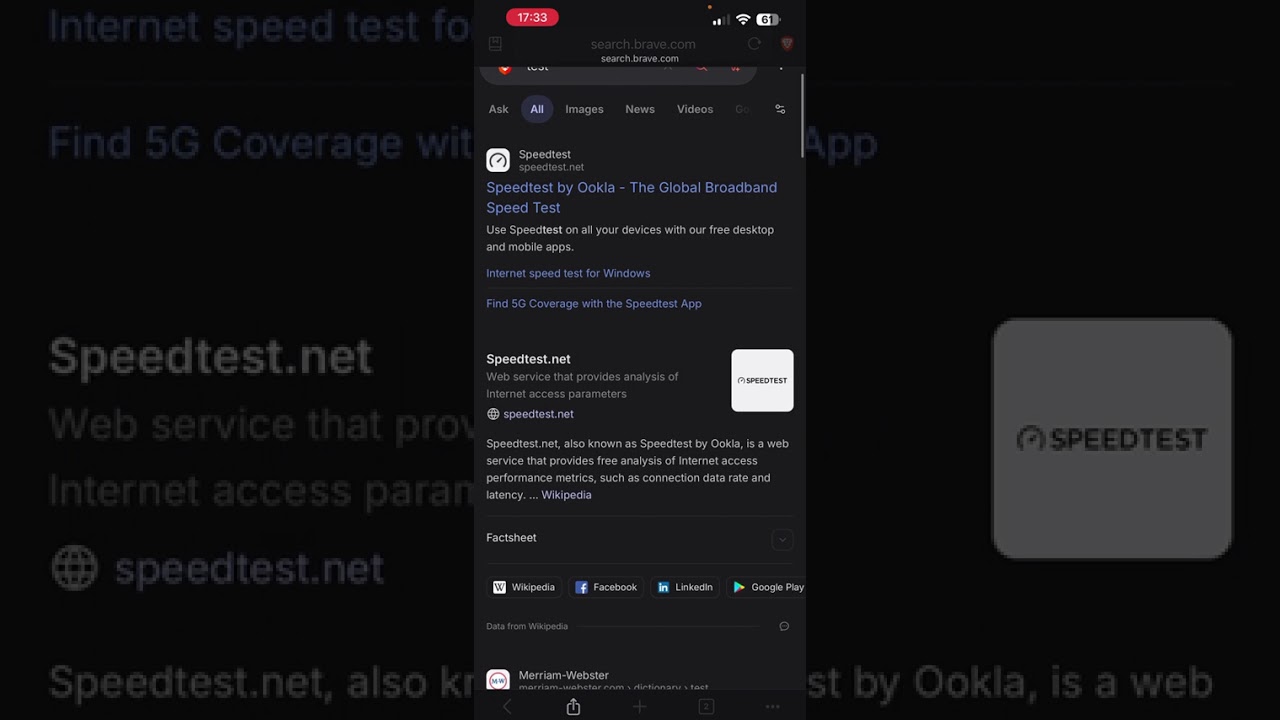
I see that this issue was already reported, but for some reason it was decided to close it and so I can’t comment on the original ticket. That’s unfortunate because I’m experiencing exactly the same behavior. Ever since updating to ios 26 the url bar randomly vanishes while using brave browser. Only a force restart of the application will restore the bar - and quite obviously, using a browser that has no url bar is pretty much impossible.
Steps to Reproduce (add as many as necessary): 1. 2. 3.
Use the mobile browser on ios 26 - it happens often.
Reproduces how often:
Multiple times daily.
Operating System and Brave Version(See the About Brave page in the main menu):
iOS 26.1, Brave 1.83 (118), BraveCore 1.83.118 (1441.0.7390.108) Device Iphone 15.2 (iOS 26.1)
@incetosat Never happens to me at all and I’m on my iPhone almost all day reading things. At least not in the way it’s being phrased where it just disappears and never comes back.
The only thing that @surf69 showed in their screenshot is what seems to be the standard behavior for all browsers on iPhone which is that when you scroll down it will hide the URL input area. If you scroll back toward the top it will appear. Or you hit the address button and it appears.
Well, when it happens to me no amount of pressing will get it back and I have tried. I’ll post some screenshots the next time it happens (and a video if it will let me)
@incetosat videos here are tricky as only very small size allowed. Unless they changed things, images also can’t be shared right away as it requires “trust level” which you get from reading stuff, liking posts, and replying. I forget what threshold is off the top of my head.
Often I just upload videos to YouTube and share. I could make a video if needed to at least show how it works for me and how it’s intended. If you have videos it might help.
If you all are seeing something different, then I guess more information and testing would be needed to try to figure it out.
@incetosat just to show where I am kind of seeing and expecting, is a video below. If yours is indeed different, then would be good to track how often it’s happening and if perhaps any type of activity when using. Like if going between landscape/portrait, watching videos, screen mirroring, switching between apps or tabs, etc.
Also to confirm if address bar on top or bottom might matter. I keep mind on top but even just tried fooling around to see if putting it on the bottom might be different, but couldn’t replicate.
So as promised, here is a video of the issue. Touches werent recorded but you can take my word that I was tapping all over the url bar area throughout. Url bar is on the bottom for me.
@Mattches I’m not having any luck replicating this yet but video here from OP seems to be able to show the problem. Curious if anyone on your side can figure it out or offer advice.
@incetosat yes if you can confirm for me that this happens (or does not happen) in standard browsing tabs as well that would be helpful. Asking iOS team about this now as I swear I’ve seen this issue filed already but can’t seem to find it.
I can confirm that this also happens with regular browsing tabs. I made a video for that if needed. I’m not sure the linked issue is connected - I dont have brave setup as my default browser so external links/shortcuts wouldnt open it.
Hi. I am having exactly the same issue. I saw it on IPhone 14 Pro running iOS 26, and now iPhone 17. There isn’t a set of specific steps I can instruct you on the recreate the issue but after browsing for a while in normal mode, the address bar disappears, and there is no way to get it back. Scrolling to the top does not help. Only a full restart of the app brings it back.
Commenting to keep the issue alive as it still exists..I just updated my 13 pro and same thing happens to me. I think it’s when I copy a link and quickly change and change back between brave and some other app but not sure. Will think about it and update.
I’m usually not one to complain about bugs. In fact prob the first time I’m making one in years. +1 experiencing it. Have been just closing and restarting the app to get past it but really inconvenient/makes the user interaction unbearable as a browser. Would really appreciate it if the team could take a look. The video provided above by the other user captures the bug fully. It’s seemingly random after a certain amount of browsing etc. I can’t figure out what triggers it
Am on latest 1.86 (144) build. So hasn’t been fixed yet. Also on iOS 26
I can also confirm this is an issue on my phone. I have tried deleting the app, scrolling up and down etc but it is not coming back. I have an iPhone 15 Pro. Only closing helps.
It must be related to this automatic hiding of the address bar. One way to address this could be to let the user disable this feature, if it is difficult to reproduce.
so the bug itself seems to be triggered upon leaving the app. And a workaround I’ve found is to bring the keyboard up. If you’re in a search engine sure the search bar, but universally opening up all tabs and clicking on search tabs to bring up the keyboard and then resuming your browsing seems to do the trick. Guess will have to rely on this until an official fix.


 I have a yt channel I can use for that if necessary. I’ll update when I have a video of the behavior