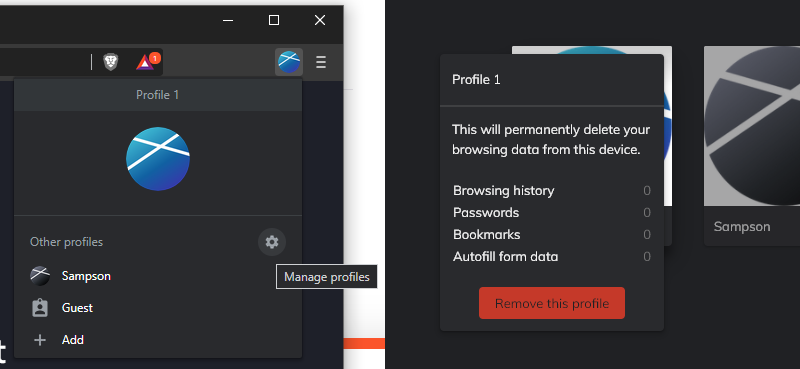
I created a profile on accident and I tried to delete it but it keeps coming back after restarting the app
I have the same issue! It’s really annoying!
Help, anyone, please?
Deleting a Testing Profile
When you’re ready to delete your testing profile, click the image at the top-right of Brave and select the  icon to open up the Manage Profiles view. Hover over the testing profile to reveal a ⋮ in the top-right corner—clicking that will give you the option to remove the testing profile (Note, double-check the metrics to make sure this is the profile you wish to delete).