I am using Brave v1.86.139 and I am noticing that recently, whenever I open tabs and perform actions quickly (switching tab or switching windows), pressing something, or reloading tabs very quickly (and I am speculating the relation of the crashes with these events), for whatever reason, **Brave has been crashing a lot. It gives me the Windows “Not Responding“greyed-out window response and then crashes during an attempt to close it. It has happened probably a dozen times by now (one happened while I was logging into Brave Community, funny enough).
**
Is anyone else experiencing this?
I am on the latest version of Windows 11. This never happened before to me.
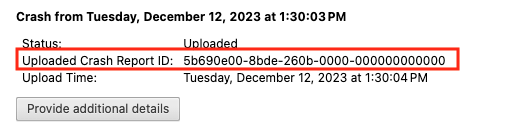
After you click the “Send Now” button, return to brave://crashes and gather up the Crash Report ID numbers that end with a string of zeros. Post the numbers, here, in a new reply. Example of a Crash Report ID number:
I’m struggling a lot with this for the past three days. Even just loading a profile, closing a tab freezes Brave, I have to close it & can’t use the “Reload Tabs”, because it crashes.
I cleared all of the caché & just reinstalled, hoping this get’s a lot better. It’s impossible to use like this.
For about the past month, I’ve been noticing Brave hanging a lot especially after filling out a form and submitting, then Brave goes catatonic for 20-30 seconds. Tab bar turns solid and says “not responding”. I rebooted and still problem persists.