All of your profiles should be located at %LOCALAPPDATA%\BraveSoftware\Brave-Browser\User Data
Specifically, the Default folder there should be the default profile. If you’ve created more of them, you may see Profile 1, Profile 2, etc.
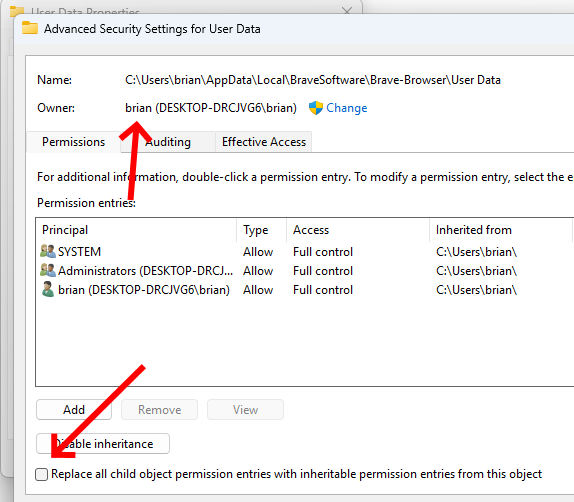
I would highly recommend checking permissions on the %LOCALAPPDATA%\BraveSoftware\Brave-Browser\User Data folder; for me this is C:\Users\brian\AppData\Local\BraveSoftware\Brave-Browser. It’s possible this root folder is not accessible by your user account. You may need to allow access and then propagate to all the child items.
For example, I see my user account brian as having access

If you click the Advanced button, you should see your account as the owner. If you don’t, please change your account to the owner and then pick Replace all child object permission entries with inheritable permission entries from this object