Description of the issue: How can this issue be reproduced?
I was syncing to a new computer which finally did sync my bookmarks. I had the sync window open on my older computer when I clicked on the button to “sync all.“ (At that point it didn’t look like it had synced to the new PC.) Brave immediately crashed. I tried starting it but it flashed a white screen and immediately closed.
Before uninstalling I ran the installer to see if it would correct the problem. But I had the same results. White screen, immediate crash. I then rebooted the computer to see if that would correct the problem. Ineffective.
I then uninstalled, downloaded the latest version through another browser and reinstalled using the latest version. Same result. White screen, immediate crash.
If this is in the wrong place, Please just let me know where you moved it. Thanks
Haven’t been able to fix the sync issue. Had to foricbly start brave in a different profile.
Go to properties and then go to start in. Then have it be something like:
Application\brave.exe" --profile-directory=“Default”
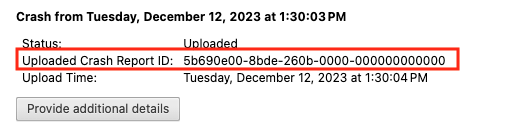
After you click the “Send Now” button, return to brave://crashes and gather up the Crash Report ID numbers that end with a string of zeros. Post the numbers, here, in a new reply. Example of a Crash Report ID number:
I would submit a crash report were it possible, but when Brave won’t even start beyond a half second white window which immediately disappears, I am unable to generate a crash report from the PC it crashes on.
I’ve uninstalled and reinstalled a couple of times. Tried running as administrator. Nothing I’ve tried will get it to run. Since I’m not savvy enough to understand how to start in a different profile, I don’t know if that solution would work.
Thank you all for reporting this. I can reproduce this issue as well. I’ve informed the team and will file this on our Github asap and hopefully get this resolved.