Troubleshooting technical issues is much easier when both the user and support agent practice clear communication. For this reason, we have provided the template below for you to fill out with information about your issue. Please provide as much detail as possible so we can most efficiently resolve your problem.
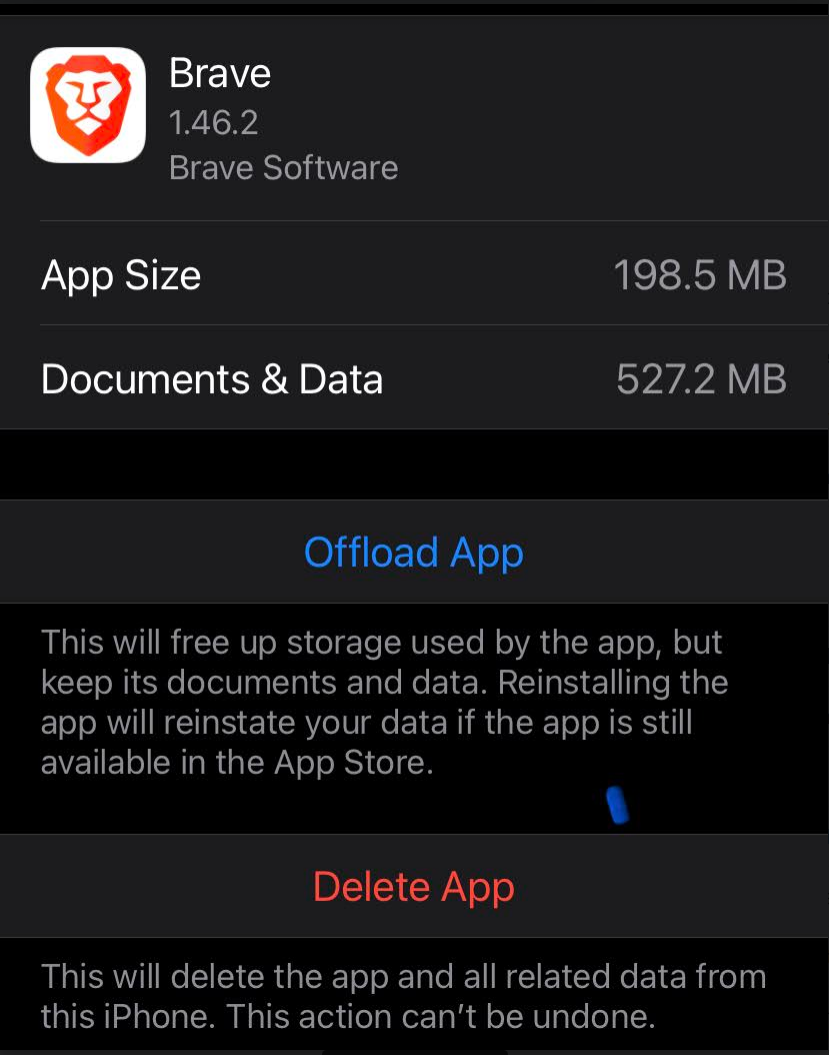
Description of the issue: Brave Browser is taking too much space in iOS 16.3
How can this issue be reproduced?
1.Install it in iOS 16.3
2.Use it in day-to-day activities
Initially it uses lesser space but after using it for a while, it starts consuming a lot of space…
Expected result: Lesser space consumption
Brave Version( check About Brave): 1.46.2
Mobile Device details iOS16.3
Additional Information:
I have not downloaded or saved any videos from youtube…
I have uninstalled it and re-installed with the latest version still does not solve the issue
This topic was discussed previously in Brake Community and it was supposed to be fixed in June 2022…
I have exactly the same situation. After re-install it takes about 300MB for document and data, then it grows beyond 1GB within few days. Currently, it takes 1.34GB. No downloads, no video saved, cleaning space doesn’t help, running only in private mode doesn’t help. Please fix it or I have to move to somewhere else from Brave. Would be a pity as I like it.
The last discussion (which I could find) about this issue happened on February ‘21…it was said that there would be a fix in the updated version but even in the updated versions, the issue was still recurring…
Hope they fix this soon…I like the Brave browser for their privacy…
Hey we have some fixes for storage in 1.48.
We also add a debug menu where you can share the folder size structure with us to help us debug what could go wrong
1.48 is out. Please update it, then open Brave settings tap on the app version setting cell and select “Copy app size debug info” option.
It will copy some data to your clipboard. Paste it to the notes app or somewhere else and please share with us
Thanks. Looks like the tmp folder grows and refuses to clear itself. Did you try clearing browsing data from Brave settings and this problem still persists?
@michal Yes. I clean all data in Brave religiously, including before taking this snapshot. It doesn’t help with reducing the size. For instance, here it is after cleaning: 2.83GB total (under phone settings).
Thanks, this is great info.
We may need to remove tmp folder contents manually. It’s tricky because it may break websites, hard to know. Maybe it’s something we should to at app launch before any website is loaded
@michal Me personally, I use Brave in “Private Browsing Only” mode. This way no need to close tabs, etc. I would think that by definition of this mode the temp folder can be safely removed each time a browser restarts or closes. As for the regular mode, I would suggest, if possible, to add cleaning temp folder option under “Clear Private Data” section in Setting. Then it’s up to the user how to deal with extra space taken by the browser. And thank you for working on it.
@michal That’s correct. Private mode all the time, but the size is growing regardless, despite the mode and additional manual cleaning with all boxes checked.