Description of the issue:
After last update to Brave version, the autofill functionality integration with 1Password is mostly broken. I have to reload the page dozens of times for the autofill option to show up in my keyboard / over the fields (if the setting to show them under fields is on). I updated the settings to “Autofill using another service”.
How can this issue be reproduced?
- Set autofill services setting to: “Autofill using another service”
- Go to any website e.g. facebook.com
- No password suggestion appears in keyboard (e.g. I am using FUTO Keyboard that works instantly in other browsers)
Expected result:
Have autofill options
Brave Version( check About Brave):
1.80.122
Mobile Device details
OnePlus 7T Android 12 5 August 2022
Additional Information:
This seems to be only happening on certain websites: e.g Facebook, Instagram, Brave Community
I am having the same issue. In some cases, I can get it to pop up by typing in a field and removing text but not always. I can also sometimes see the option flashing but not staying long enough to tap on it.
Device: Nothing Phone (3)
OS: Android 15
Brave Version: 1.80.126
Chromium Version: 138.0.7204.184
Keyboard: SwiftKey, Version 9.10.63.16
I changed back to “Autofill with Brave” and that seems to have fixed it. I always get the password recommendation from 1Pass.
Between Brave updates and Bitwarden updates, autofill is a broken mess for me now, too. Bitwarden required integration changes, which broke autofill for everything outside of passwords. You have to pick now – use Google for everything, or Bitwarden and only passwords work (no credit cards, addresses, etc). Such a pain…
Just to add my experience. I cannot use 1Password with Brave on Android too. Please get this fixed, it is very annoying.
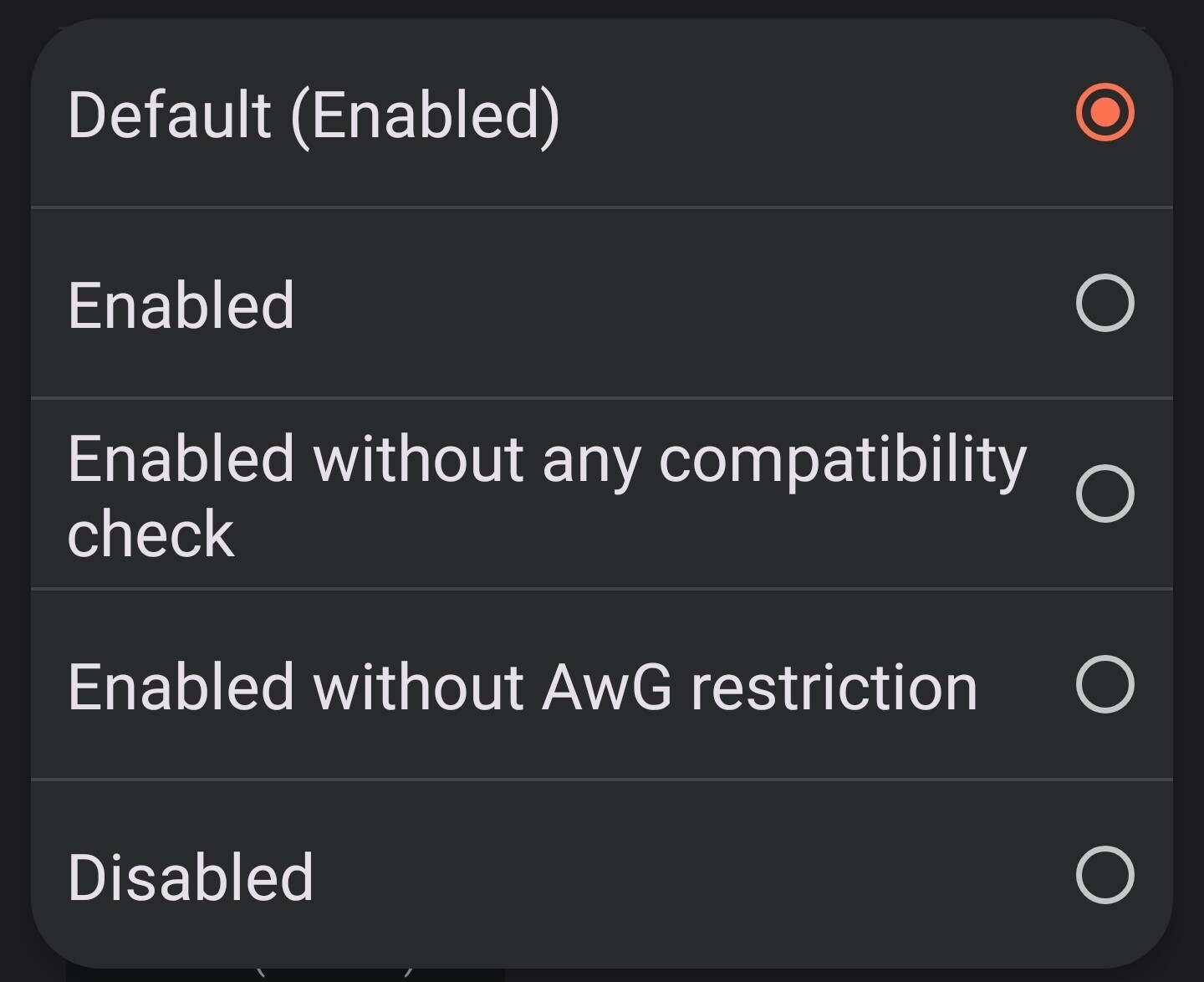
Just a possible fix for you: I had apparently in the past changed a setting in brave://flags/ that was required to get Bitwarden working properly before, but now broke it with the integration changes. That setting is under #enable-autofill-virtual-view-structure and needs to be reverted back to default. I had before needed to set it to “Enabled without any compatibility check”, but now it just be to be “Default (Enabled)”. Did you maybe tweak that setting, too?
@ShnikeJSB Thank you, changed from default to without compatibility check seems to have helped.
There were updates applied to both Bitwarden yesterday and Brave this morning on my phone, with absolutely no change to the ability to autofill anything besides passwords. And sometimes I have to close and relaunch Brave for the password autofill integration ability to work again. It’s flaky as heck.
After the last update the autofill didn’t work anymore when brave built in autofill was selected to I moved again to other service option. This seems to be properly implemented now. Thank you team
After much frustration waiting for the Play Store updates to roll out, I’ve manually updated to the latest Bitwarden through their Github (2025.8.0: https://github.com/bitwarden/android/releases/tag/v2025.8.0-bwpm). The good news is, credit card autofill seems to work now. Personal information still does NOT, though (name, address, phone number, etc).
Also, it seems they got rid of the #enable-autofill-virtual-view-structure setting in the latest version that just came out of Brave (1.81.136). I can no longer see it in brave://flags/. I was trying to see if tweaking that setting would help with filling in identity information, but it’s gone now.