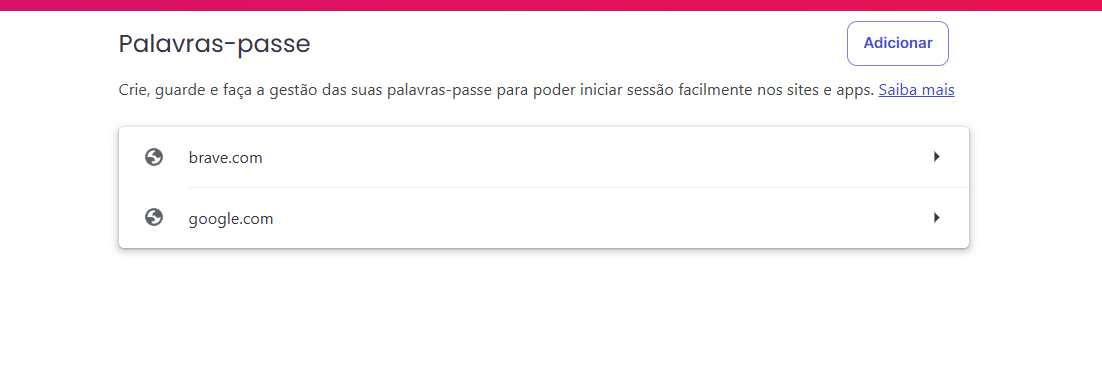
Description of the issue:
All my passwords are not showing up
How can this issue be reproduced?
As soon I try to enter any site the passwords are not there nor in here
Brave Version( check About Brave):
Latest version
Additional Information:
Long story short my laptop was in repair due the some keyboard keys not working and when I start it up I found out that all my profiles on Brave are without any password
I already checked and I can see Login data in AppData\Local\BraveSoftware\Brave-Browser\User Data\Default
But when I open it the passwords are all in strange characters
Please help since I also this laptop to work and some passwords will be near impossible to get them back
Thank you
@Carlos36
Sadly, you’re right in this part there. You can’t get it back. Passwords are encrypted using your OS credentials. If it gets changed or corrupted, you lose the key and there’s never a way to bypass it or get the old key back.
When it went in for repair, they likely did something that changed it.
You can see a brief explanation of this at https://support.brave.app/hc/en-us/articles/29808985123085-Sensitive-data-storage
So there is no way to salvage it?
I am going to have a good friday at work 
I’d say that seems to be the case. I mean you say you see the login data which means it’s there. The strange characters is where they are encrypted. If it’s not showing up in the browser then it’s because it doesn’t have the right key to decrypt them, therefore it can’t be accessed.
Usually system restore points and all do not restore the encryption key. To my knowledge there’s not really any way past it. If you had it synced with other devices it might have been able to continue with them or if you had exported passwords or something, it would be there. But if your only saves were directly to Brave with no sync or backup, once it gets corrupted or anything it’s basically gone forever.