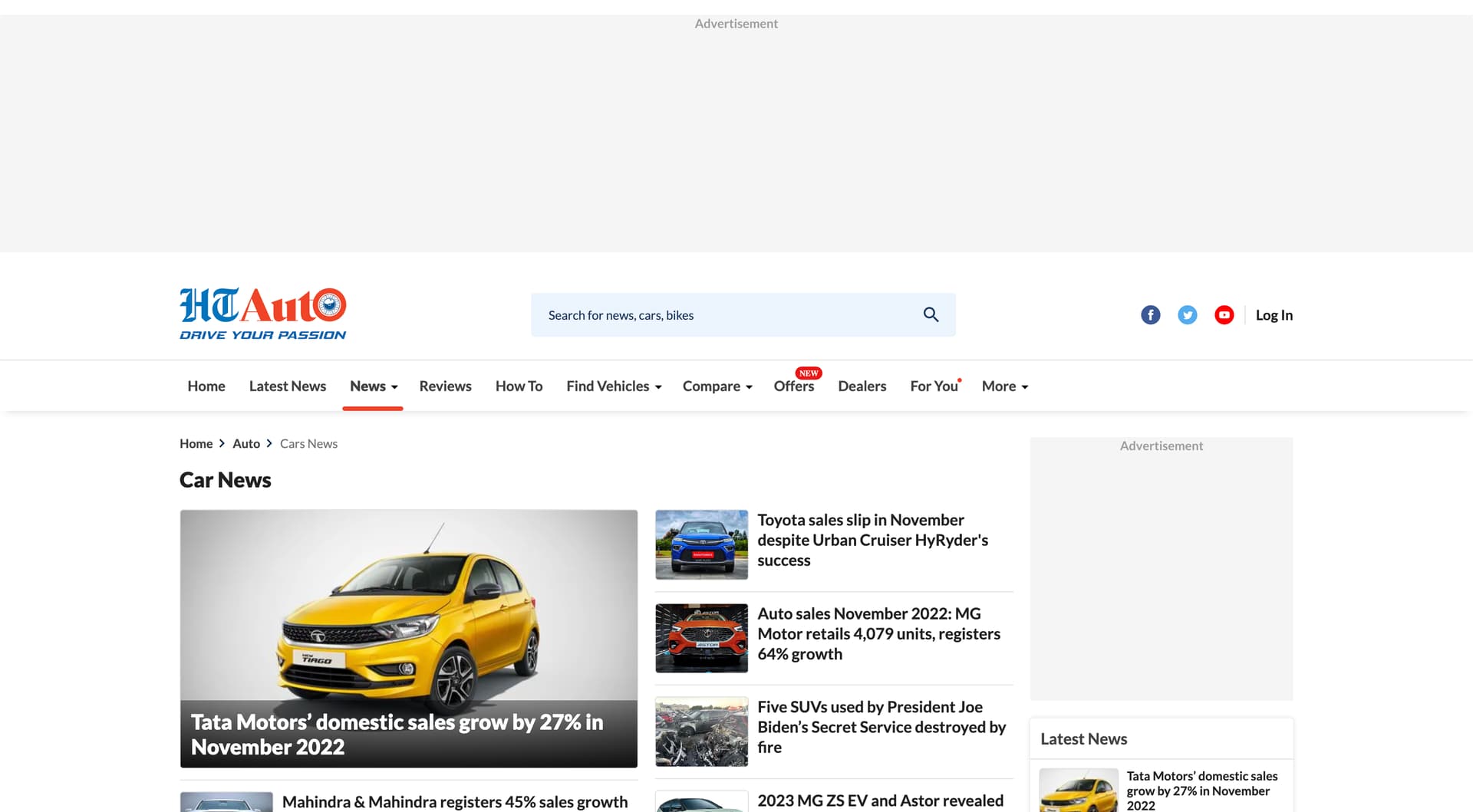
Description of the issue:
Blank ad spaces appear at the top, the right and at the bottoom.
Exact URL of the website in question:
“https://auto.hindustantimes.com/auto/cars”
Screenshot of the ad as it appears in Brave
Brave version (check About Brave):
1.46.133
Hello @dbcommunity
Thank you for reaching us and sorry to hear you’re having trouble with blocking ads. Our best recommendation is to use this link you can block ads using aggressive mode
Additionally if you are still seeing ads you can enable these filters Fanboy Annoyances List and uBlock Annoyances List to block most ads and trackers on the web. To select them click on this link: brave://settings/shields/filters then on filters list, search and check on the boxes corresponding to the ones mentioned previously.
Let me know if that works and have a great day!
@fanboynz
Possible to block? The blank ad spaces are still appearing.
add these lines on brave content filters list and click save changes
auto.hindustantimes.com##.headerAds25 0
auto.hindustantimes.com##.adsHeight970x25 0
auto.hindustantimes.com##div.mobileNone:nth-of-type(3) > .adsHeight300x25 0
auto.hindustantimes.com##.rhSection > div.mobileNone:nth-of-type(1) > .adsHeight300x25 0
Reload the page after saving
make sure to close the gap of 0 in the end of line