Fingerprint Protection Regression?

Cross-post of Brave fingerprinting protection not entirely foolproof - #7 by Unl0ckd

Description of the issue:
Brave Desktop fingerprinting protection not working as described.

Exact URL of the website in question:

Screenshot of the ad as it appears in Brave:
First visit:
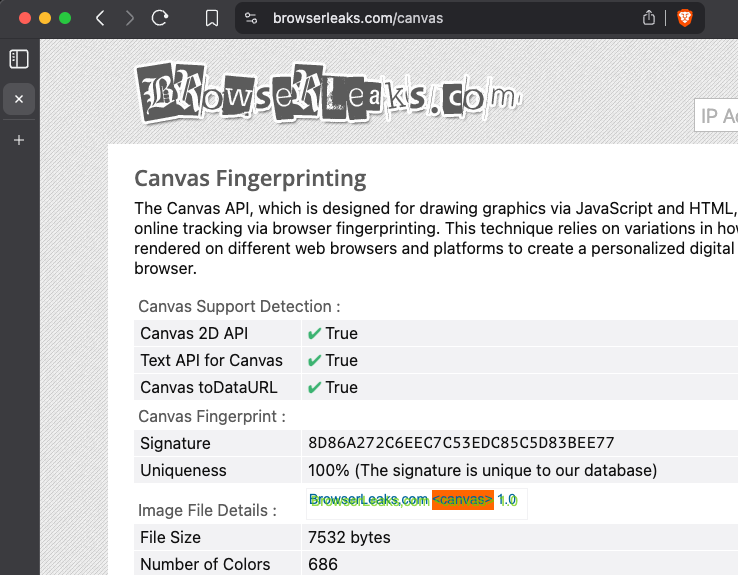
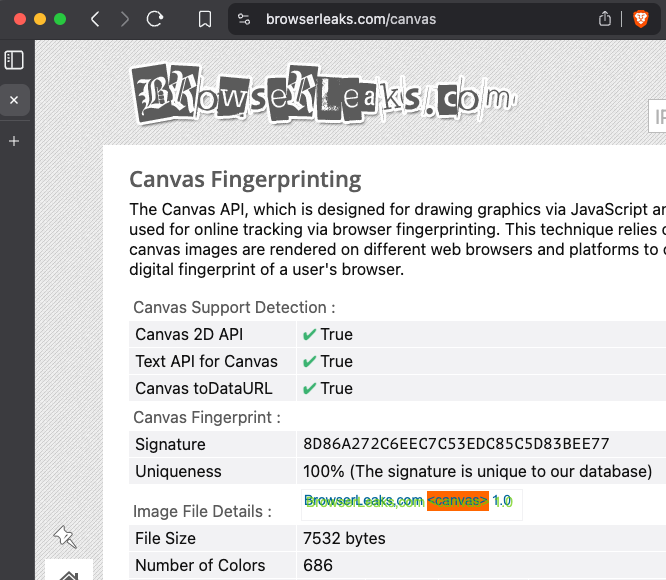
Clearing site data, closing browser, and re-opening this page:
Did the issue present with default Shields settings? (yes/no)
Yes, also yes with aggressive ad and tracker blocking set

Does the site function as expected when Shields are turned off?
The fingerprint is different, but will persist through browser restarts

Does the ad appear when using a Private window as well? (yes/no)
The fingerprint is different when using a private window, but it will persist through browser restarts.

What OS are you using when you see the ad?
macOS

Brave version (check About Brave):
1.80.124

This seems like a bug because:
According to https://brave.com/privacy-updates/3-fingerprint-randomization/, the restarting the browser and visiting this site should result in a different fingerprint (emphasis below mine):

You can see these defenses at work by visiting fingerprinting demonstration websites (e.g., web audio, canvas). First, to demonstrate how fingerprinting can identify you across sessions, try the following steps in any current browser (Chrome, Firefox, Safari, Edge, or even the Tor Browser Bundle).

  1. Visit audiofingerprint.openwpm.com or browserleaks.com/canvas
  2. Note the fingerprinted values
  3. Reload the browser after clearing storage, either by deleting all browser data or opening a new private window
  4. Note the same fingerprint is assigned, despite all storage, cookies, etc being cleared.

This cross-storage fingerprint value is how finger-printers track you on the Web. If you now perform the same four steps in Brave Nightly, you’ll notice a different fingerprint value on each visit, demonstrating that your fingerprint cannot be used to link these two visits, and protecting your privacy. Additionally, because these fingerprinting still work the way sites expect, Brave users can still enjoy sites that use audio, canvas and WebGL for user-serving purposes, without the risk of being tracked.

@Unl0ckd there’s more lifting going on there than you may think and it’s not tracking as much as you might think. I don’t feel like digging but I remember years ago as people complained about how they thought fingerprint should be 100% randomized every time, it was stressed that fingerprint protection is not designed to prevent a website from recognizing us when we returned to that site, but instead was meant to prevent tracking across from sites.

For example, check these examples Beta, as I don’t want to clear my data on normal browser:

Beta with Shields:

Beta with Shields after clearing all browsing data:

And after clearing data once more:

Also, looking at regular browser. Let me show you how it can change around based on little details:

With Shields enabled:

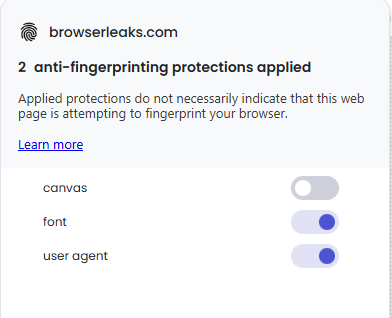
Shields enabled, but Canvas protections off:

Shields on 100% but with graphics acceleration disabled at brave://settings/system

Private window with graphics acceleration off:

Private window with graphics acceleration on:


Not sure what you cleared, but as a FYI, what I did when I showed how it changed every time for Beta was:

The importance in all of that is if it was really identifying us and we were absolutely unique, then it wouldn’t have changed in all of those. But you see it was different each time.

Btw, I think you missed something there. So what they detailed on Chrome or others browser, the Canvas fingerprint would be the same even after clearing all browser data that the Canvas fingerprint would be the same.

Then they said if you do the same on Brave, it would be different. That is like I showed in the example with Beta. The key idea here though is ALL DATA. Not just one site or a tiny bit of cookies.

I’m guessing you were trying to clear just for that site or you weren’t clearing for all time. Or like they said, each time you open a private window and test, it would be different. Regardless, do the same steps each time which means clearing all data or opening new private windows.

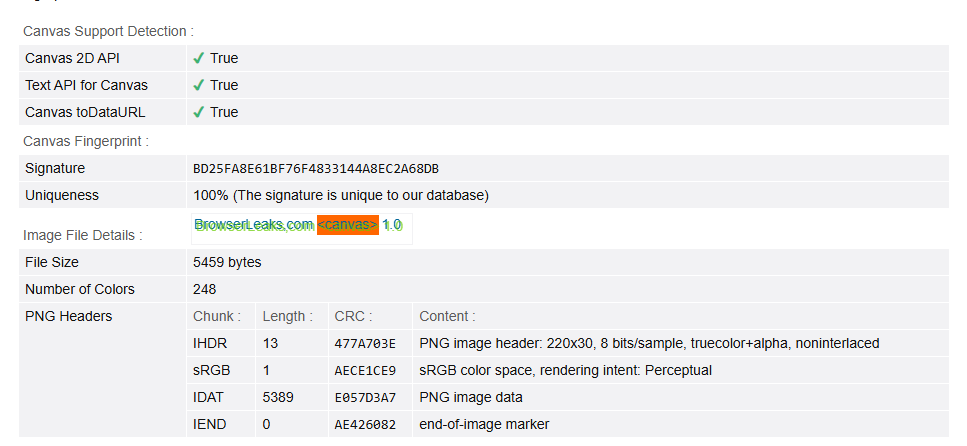
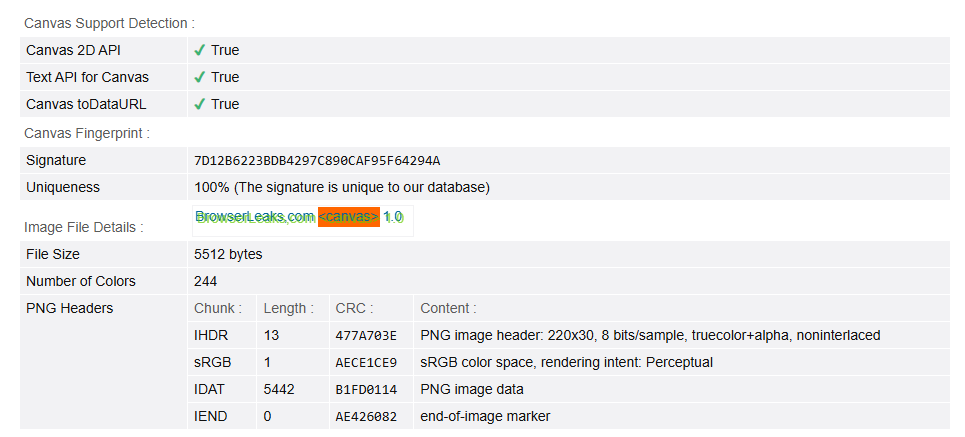
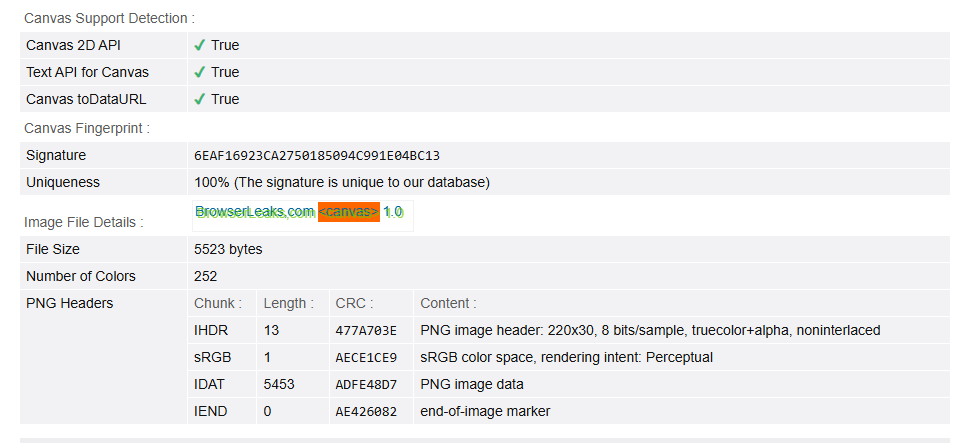
Below you see three different rounds on the latest Release/Stable version of Brave. I opened a Private Window, tested at https://browserleaks.com/canvas, took a screenshot, closed the private window, opened a new private, tested again, and did next screenshot. Each of these have different data.

Private 1

Private 2

Private 3

But again, compare this to something like Chrome.

Chrome on normal window:

Chrome in Incognito

Thank you so much for your detailed responses, Saoiray!

Btw, I think you missed something there.

I must be: my understanding is that Brave will, upon closing and re-opening the browser, change the seed(s) that fingerprinters use to calculate a unique ID, hash, etc. for all browsing, not just private. This is the behavior I came to expect early in my use of Brave, and is the reason I became enamored with Brave!

I can confirm that I get a different canvas fingerprint on this testing site when I open a Private Window. Here, when I use the term “session” I refer to the time during which I had Brave open before closing it completely. On mac, this means cmd-q quitting the application and waiting a few minutes

Non-private window, session 1

Private window, session 1

I close the browser and wait a few minutes

Non-private window, session 2


The hashes haven’t changed as I would expect them to, especially with “Forget me when I close this site” enabled

Private window, session 2


The fingerprint in the private window has changed, as expected.

It’s great that the fingerprint for the private window changes, but I don’t do most of my daily browsing in a private window because I was under the assumption that closing Brave at the end of the day and reopening it the next day was enough to have a new fingerprint (again, based on my read of https://brave.com/privacy-updates/3-fingerprint-randomization/).

If Private Browsing is the expected requirement for having a new fingerprint each session, then I suppose I’ll just need to get into the habit of using that instead. I’m just surprised since, as pointed out on Reddit, this shouldn’t be needed.

Partially correct. There are tons of little details that get randomized. Right now you’re looking only at canvas. Typically canvas stays the same in other browsers, even in a private window or after browsing data is cleared. Brave randomizes canvas but requires browsing data to be cleared before it generates a new one.

Canvas fingerprinting in Brave requires you to clear browsing data to trigger a new randomized fingerprint because Brave stores a per-site seed for canvas spoofing. This design choice balances privacy and site compatibility, and avoids making your browser stand out due to constantly changing fingerprints.

Let me see if perhaps ChatGPT might help me explain things a bit more clearly. I’ll quote its reply below:

Why canvas fingerprinting behaves differently:

  1. Canvas fingerprinting uses persistent seeds:
    Brave assigns a random “seed” per site to generate fake canvas fingerprint data. This seed is persisted (stored) so that canvas-related behavior appears consistent during a browsing session or across multiple visits — unless you explicitly clear browsing data.
  2. Consistency vs. detectability:
    If Brave randomized your canvas fingerprint every time you visited a site, that inconsistency would ironically make you more unique. A site could detect the frequent changes and conclude you’re using a browser with anti-fingerprinting, which defeats the point.
  3. Randomization on data clear = reset of fingerprinting profile:
    When you clear browsing data in Brave (cookies, cache, etc.), it resets the per-site fingerprinting seeds — which includes canvas. That makes Brave re-randomize them on your next visit to each site.
  4. Other fingerprint surfaces may randomize differently:
    Some fingerprinting protections (like User-Agent, screen resolution spoofing, or WebGL noise) may apply transient or session-based randomization rather than site-bound seeds. This gives the impression that “everything else” changes upon relaunch, but those surfaces are inherently different in how they operate.

To reiterate what I said earlier, the protections aren’t to prevent websites from recognizing that you have returned to them. It’s about preventing them from knowing what websites you visit after you leave their website.

There are certain types of data that also remain the same each time. For example, your WebGL will reveal your graphics card if you have graphics acceleration enabled. Brave has randomized some of these things before but then websites kept breaking. They have made adjustments to find the delicate balance between usability and privacy.

I’m not sure if you have seen https://github.com/brave/brave-browser/wiki/Fingerprinting-Protections yet but if now, would suggest you check it out as well.

In addition, I’ll quote someone from Brave on other aspects:

Also:

1 Like

This. This was what I was misunderstanding about Brave’s functionality. Thank you for this.

1 Like

This topic was automatically closed 30 days after the last reply. New replies are no longer allowed.