Description of the issue:
How can this issue be reproduced?
I dont know i was watching youtube and the video became black i refreshed and then every page i visited was just white including settings and home screen
Expected result:
every page you visit will be plain white
Brave Version( check About Brave):
I cant check cause all pages are irresponisve
Thinking of switching which other browser looks good?
@Aaron0301,
What version of Windows are you using? Can you see the internal pages like brave://settings?
no i cant i am using windows 10
@Aaron0301,
Please try the following:
- Find the shortcut for Brave (generally on Desktop), right-click and select
Properties from the context menu.
- Click into the “Target” field, and type
--disable-gpu at the end of the path. Note that you must type this outside of the quotes with a space between the flag and quotes . It should look something like this:
- Click
Apply then OK then open the modified shortcut you just created.
- Assuming this worked and you’re able to view Brave, open the main menu on the top-right
- Navigate to
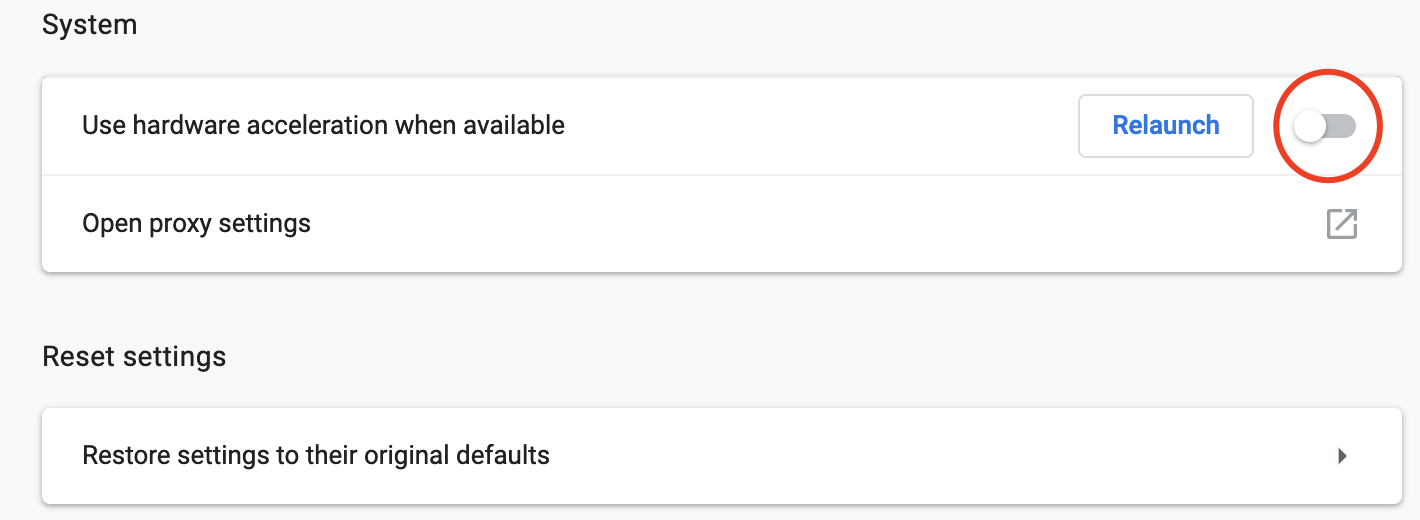
Settings --> Advanced --> System --> Hardware Acceleration
- Ensure this option is off. If not, toggle it off and relaunch:
- Now, return to the modified shortcut, remove the
--disable-gpu flag from the Target path and launch Brave using that shortcut.
Thanks! it worked I have a question why should you disable gpu?