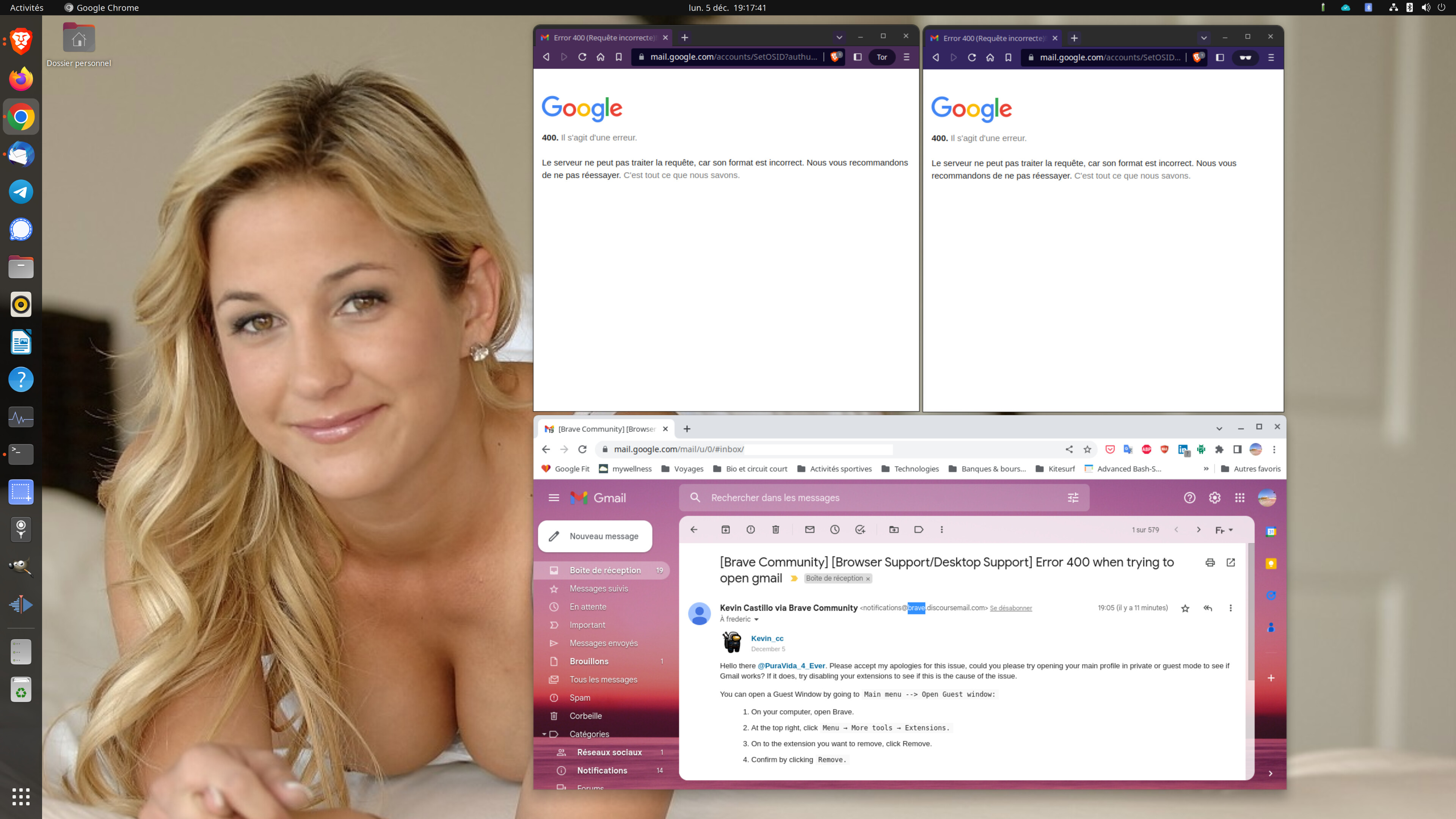
Error 400
The server cannot process the request because its format is incorrect. We recommend that you do not try again. That’s all we know.
My OS:
Ubuntu 22.04.1 with newsest patches.
Brave: latest fresh install from apt (not a snap install). /
Version 1.46.134 Chromium: 108.0.5359.94 (Build officiel) (64 bits)
on the same workstation, I can get access to gmail using Chrome,
Hello there @PuraVida_4_Ever. Please accept my apologies for this issue, could you please try opening your main profile in private or guest mode to see if Gmail works? If it does, try disabling your extensions to see if this is the cause of the issue.
You can open a Guest Window by going to Main menu --> Open Guest window:
- On your computer, open Brave.
- At the top right, click
Menu → More tools → Extensions.
- On to the extension you want to remove, click Remove.
- Confirm by clicking
Remove.
Let me know if that works.
Regards.
Hi Kevin,
unfortunately the issue is persistent:
Only 3 extensions were activated (new install). so I ran 3 tests:
-
I’ve disabled them ==> No change, Gmail still unavailable
-
I’ve removed them ==> No change, Gmail still unavailable
-
I use Firefox and chrome ==> Gmail is available.
Then I’ve run 3 other tests
private brave ==> No change, Gmail still unavailable
private with tor ==> No change, Gmail still unavailable
Google Chrome ==> gmail is available (see attached screenshot).
I’ve uninstalled and reinstalled brave: no change, gmail is not available.
For this reason my default browser has to be set to Chrome or Firefox instead of Brave.
Please, tell me how to capture and export logs logs to your support center.
Hello again @PuraVida_4_Ever on that case please try deleting your cookies and data to see if this solves the issue.
- Click on the
Menu icon in the top right, and go to Settings
- Go to
Additional settings → Privacy and Security → Clear browsing data
- A quicker way to get to this page would be to enter
brave://settings/clearBrowserData into your address bar
- See
Advanced for a breakdown of the data you can clear
- Deselect
Browsing history and Cached files (if you only want to clear cookies)
- Click
Clear data
Let me know if that works
Hi Kevin,
sorry I was out of home for 2 weeks.
I’ve removed/reinstalled Brave, it fixed the issue and now Brave is working fine with Gmail 
But a new severe issue is impacting my productivity: Each time I try to download a file, brave freeze and I have to go to system tasks to kill all brave tasks
All website on which I try to download a file (export from my bank, bill from Amazon, attached document from gmail, files from pcloud, etc…) are freezing brave.
Hi again @PuraVida_4_Ever did you try removing your extensions while trying to download the files on the new version you have installed?