I’m trying out Brave for iOS as recommended by PG. I signed into Facebook, Instagram, and a few other online forums. As far as I can tell, neither Safari nor Brave can clear all data and cookies when closing the browser. This has to be done manually. So when I close Brave and reopen it, I notice that all forums are now signed out, but surprisingly, I’m still signed into Facebook and Instagram. For whatever reason, this doesn’t happen with Brave Android. I tried replicating the situation and everything works normally on Android, but not on iOS. What is going on?
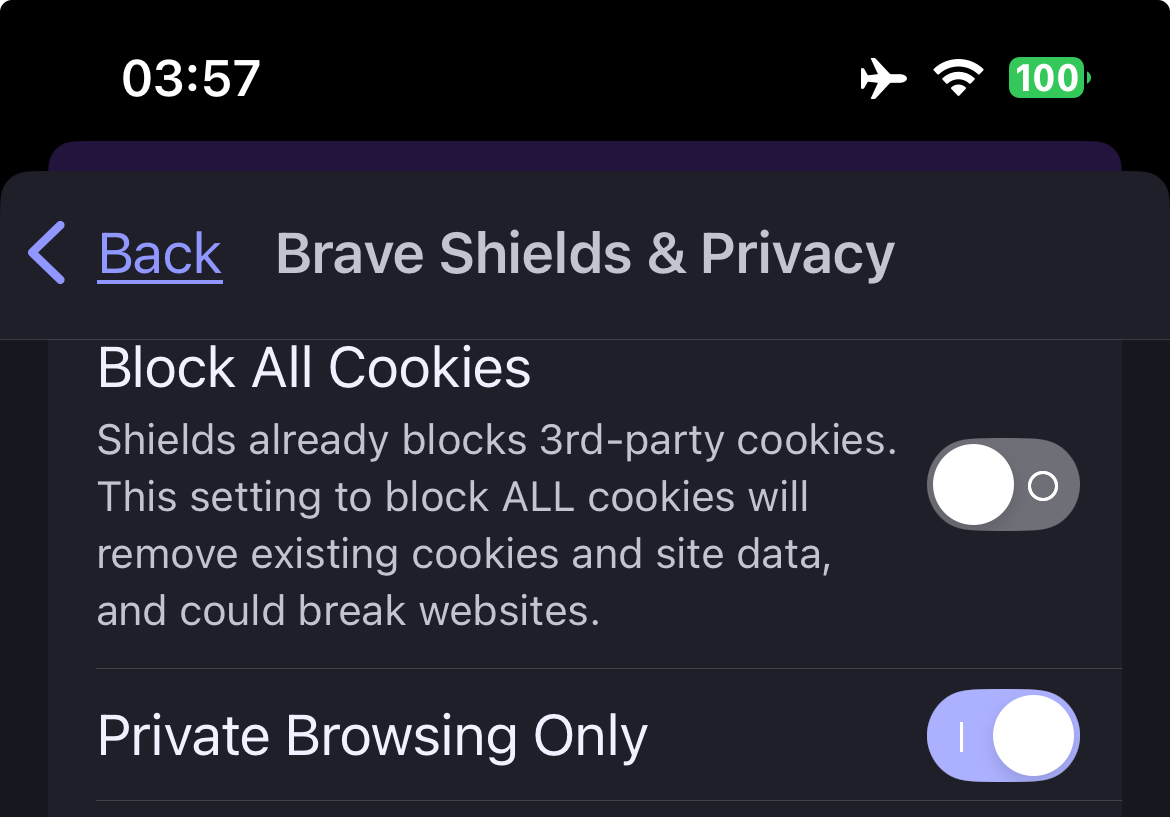
Private Browsing Only - Enabled - will result with being logged out:
https://support.brave.app/hc/en-us/sections/360002520512-Private-browsing
Hello, I don’t have private browsing on, and it’s still not remembering my sign-in.
Reminder:
Maintenance of the status being: Logged In ← is also at the discretion of the website: An Internet application user does not have overriding authority.
Many financial institutions prefer that customers and visitors MUST NOT remained logged in; and so, there is no guarantee “despite throwing all the right switches.”
Also at the discretion of the website, is the ability to rank characteristics of the Internet application being used - and thereby issue a variety of cookies, some more or less durable.
There is some possibility that using a VPN for connecting to some websites, is sufficient for such websites to decrease the durability rank of cookies that they issue. IMHO
Sometimes, completely clearing cache, cookies, history, site data . . . followed by a complete Exit / Quit of all apps, followed by a “hard” / “forced” Restart of the computing device . . . does enough “housekeeping” such that, a bit more success at remaining logged in at some websites, occurs.
A complete, full exit / quit of the mobile computing device <-- following the instructions of the device manufacturers:
Android - closing apps:
-https://www.digitaltrends.com/mobile/how-to-force-close-apps-android/"
Android - complete “forced” restart:
-https://www.ifixit.com/Guide/How+to+Hard+Restart+an+Android+Phone/107479
Apple iOS - iPhone - completely quit an app:
-https://support.apple.com/en-us/109359
Apple iOS - iPhone - complete, “forced”, “hard” restart:
-https://support.apple.com/guide/iphone/force-restart-iphone-iph8903c3ee6/ios
Apple iOS - iPad - “forced” restart:
-https://support.apple.com/guide/ipad/force-restart-ipad-ipad9955c007/18.0/ipados/18.0
No, I know this would be normal behavior for government or banking sites, but this is also happening on forums. What’s really interesting is that it doesn’t happen to Safari and Brave iOS is essentially Safari. I also don’t experience this problem with Brave on the desktop or on Android. I’m having a very weird and somewhat negative experience with Brave iOS.