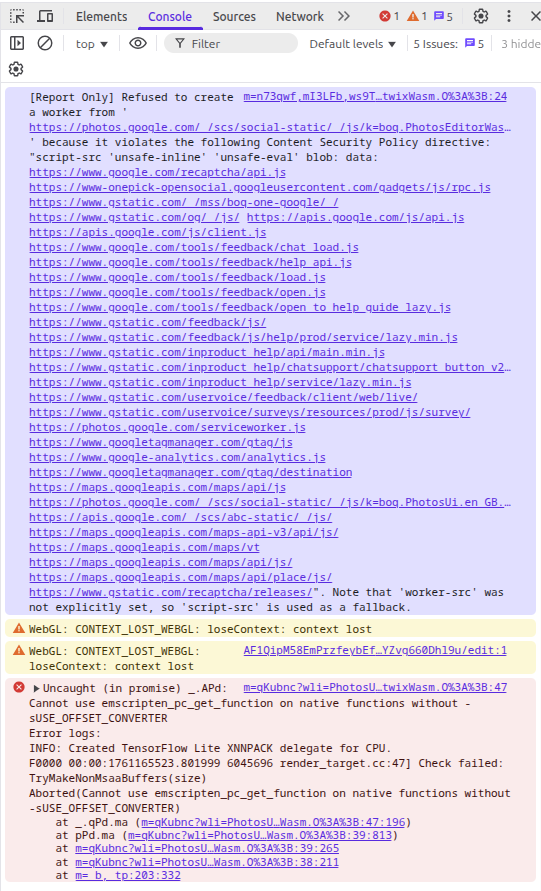
Seems to be working fine for me. Is there a specific action you’re trying to do when editing that causes the error? Are you able to start “editor mode” at all?
Yeah probably a Chromium issue which is why it occurs in Chrome as well. If that’s the case I’m surprised more users don’t see it though (myself included). Digging a bit more on this.
I had the same issue.
Before having the issue, I managed to edit five photos in a row. Because I used to code for GPU, I was wondering if this is not a problem of releasing the GPU resources properly after using to edit the picture.
Any way, the topic was almost closed and this seams to be unrelated to brave, perhaps I shouldn’t have commented on this thread. Sorry about that.
I’d encourage you to just create your own New Topic under Browser Support > Web Compatibility if you’re having a similar issue (you can reference this Topic) and while there fill out the Template, please always do so and provide as much information about your current system/brave setup as possible and any troubleshooting steps you may have taken along the way and support will be happy to assist you there.
On a side note though, kudos on doing some searching, you can also use advanced search here: https://community.brave.app/search which can be very helpful, just thought I’d mention it for future reference.
At this time, I’m going to lock this post, thanks!