Brave was automatically upgraded to v1.80.122. I am using MacOS 15.5 and there have been no recent updates to MacOS.
Everything is slow or simply fails to render. This includes attempting to open a new browser tab in the same window, attempting to navigate to Brave → About Brave, and even attempting to send the numerous and recorded Crash Reports.
I’ve downloaded the latest Brave .dmg, reinstalled, and the problems still exist.
I am unable to send Crash Reports from brave:://crashes since they never finish sending after clicking on the Send Now button for each.
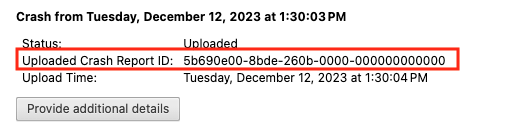
After you click the “Send Now” button, return to brave://crashes and gather up the Crash Report ID numbers that end with a string of zeros. Post the numbers, here, in a new reply. Example of a Crash Report ID number:
Thank you for this. The terminal command was helpful.
One of the many submitted Crash Reports:
15ad1300-27f1-2d0e-0000-000000000000
21991300-27f1-2d0e-0000-000000000000
be3e1300-27f1-2d0e-0000-000000000000
bd3e1300-27f1-2d0e-0000-000000000000
16351300-27f1-2d0e-0000-000000000000
4f2d1300-27f1-2d0e-0000-000000000000
39391300-27f1-2d0e-0000-000000000000
3d391300-27f1-2d0e-0000-000000000000
No VPN was in use. My Internet connection was fine.
No shortage of processor/CPU, memory, or disk resources on my Mac.
No observable spike in processor/CPU or memory when opening Brave and it went into a form of slow/stalled mode. I have iStat Menus and can see excessive processor/CPU or memory utilization on my top desktop tool bar.