Recently Brave browser keeps randomly taking up too much memory, freezing up and crashing. It is upto date. I managed to get a screenshot of an error msg. I have absolutely no idea why this is happening, or how to fix it. any advice would be nice.
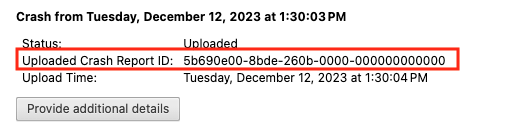
After you click the “Send Now” button, return to brave://crashes and gather up the Crash Report ID numbers that end with a string of zeros. Post the numbers, here, in a new reply. Example of a Crash Report ID number:
It’s strange that there aren’t any reports appearing on the brave://crashes page at all. @Zeph1 how frequently/quickly after launching the browser does it crash?
It might be one of your installed extensions causing the crash. Can you try creating a fresh profile and browsing with it for a bit and test to see if it also crashes in this same way?