I want to import my search history, bookmarks, and all of my browsing data from other browsers, but brave doesn’t recognize opera GX as a browser when I try importing it. If anybody could help that would be great

@supas Did you export from Opera? If so, it’s likely under Bookmarks HTML file. If not, then go to Opera and Export Bookmarks from there. It should create an HTML one and you’ll Import it in the menu you’re showing.

@supas Unless they’ve done away with it, which I doubt, it’s there. It’s just not where you’re looking.
For bookmarks, goto the URL
opera://bookmarksand use the drop-down at the bottom left to export bookmarks to an html file. You can then import them into other Chromium-based browsers like Chrome and the new Microsoft Edge. And, you should be able import them into Firefox as well.
Above is from https://forums.opera.com/topic/40531/exporting-bookmarks-and-settings-from-opera-to-other-browsers
Then there’s one from this year, https://browserhow.com/how-to-import-and-export-bookmarks-in-opera-browser/#export-bookmarks-from-opera
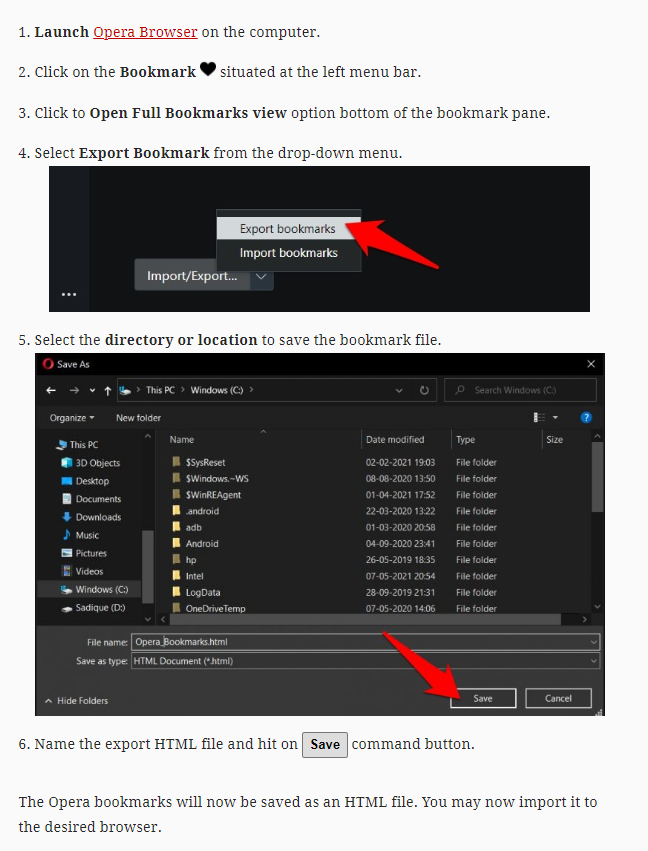
So one or both of those should be the answer.
Thank you so much for this! I was also looking for a way to import my search history as with most browser importing in brave. I just want brave to recognize opera as a browser.