Device: Samsung Galaxy S25 Ultra (SM-S938U1)
Brave Version: 1.93.92 (Nightly)
Android Version: Android 16
One UI Version: 8.5
Build Number: BP4A.251205.006.S938U1UEUACZF1
Issue Description
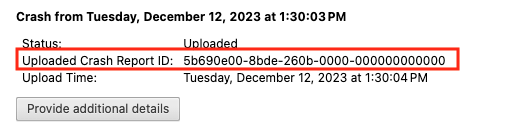
Immediately after updating my phone to Android 16 / One UI 8.5, Brave Nightly began crashing whenever I try to download an image while the “Ask where to save files” option is enabled.
Steps to Reproduce
1. Enable “Ask where to save files” in Brave settings.
2. Long press on any image on a webpage.
3. Tap “Download image.”
4. Brave immediately crashes.
I initially tried clearing the cache and force stopping the app, but the problem persisted.
Workaround
Disabling “Ask where to save files” completely resolves the issue. With that setting turned off, image downloads work normally and Brave no longer crashes.
This appears to be related to the Android/Samsung file picker or storage access framework after the recent Android 16 / One UI 8.5 update.
Please let me know if any additional logs or testing would be helpful.