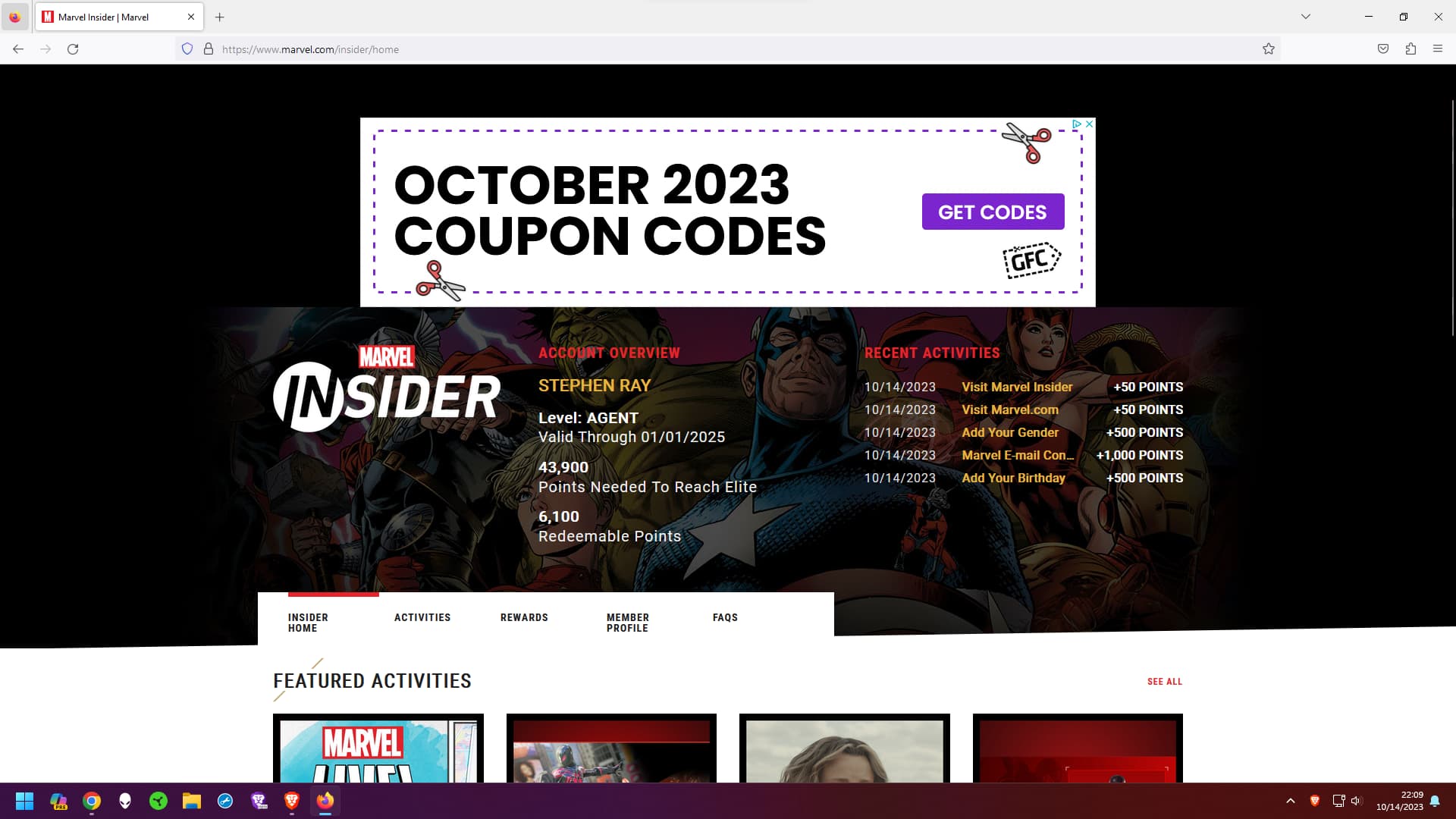
I am having an issue on certain websites where certain portions of the site will not load. I have experienced this on a couple different sites including: godaddy and marvel.com/insider/home. For godaddy the chat now support box wouldn’t show. On marvel.com/insider/home nothing in the center of the screen. The header, navigation menu and footer load but not content in the middle.
I have attempted clearing cookies/cache from all time, all shields are down for both websites. Updating to the latest browser, restarting computer. This issue is persisting on both Mobile iOS app and Desktop browser. If I visit site on safari mobile, everything loads just fine.
Expected result:
Content should fully load on any and all web pages with shields down. I have experienced this issue prior on some websites that was due to shields being up. However, even removing them on these sites I am still experiencing the issue on both mobile and desktop.
Version 1.59.117 Chromium: 118.0.5993.70 (Official Build) (64-bit)
Anyone experiencing any of these issues would greatly be appreciated to how to resolve or fix.
Interestingly enough though, I turned on Brave VPN for a short and after turning it back off, it was able to load on Chrome and Firefox. So in my messing around while writing this for over 10 minutes, something changed.
Might have to tag in @Mattches and @steeven to see if they can help figure it out. Just be advised that it’s currently Saturday night and support doesn’t tend to work American weekends or holidays. So it might be a bit before they get back with us.
On iOS i resolved it trying to toggle vpn then clicked cancel and it now loads on mobile. Trying to figure out how to do this on desktop but this is definitely the cause.
Don’t believe there’s a way to toggle vpn on or off on linux and I’m 99% sure this is what is breaking the pages loading certain things.
@420coupe,
The VPN is not available on Linux platforms yet so this certainly is not the issue. Further, on my end, I can view these sites without issue using the latest stable build of Brave browser as well as Chrome and FF:
Just to be sure, I went ahead and turned the VPN on and was still able to view the site while connected.
I know you disabled you’re extensions, but I’m curious if you can see the whole site (with Shields up and default Shields settings) using both a Private browsing window and/or using a fresh profile.
@420coupe if you’re still unable to view these sites, can you please right-click into one of the areas not showing, click Inspect then click on the Console tab and share any console output you see here?
@Mattches the difference is you’re not signed in. That screenshot is just the basic website. If you login with an account, then it goes to what we showed in the above screenshots where it shows Featured Activities and everything.
@Saoiray,
Thank you for clarifying — testing again and I do see the same issue here. Still not convinced it’s related to the VPN though. Taking a closer look and will reply back soon.
Me neither. Only thing I said is when I first went to it, was blank on all. But somehow toggling VPN on and off ended up “fixing” it on the others. Yet still doesn’t work on Brave when tried today even though does work on Chrome and all. So not sure what’s going on.
@420coupe still would be nice if you can check on it and have developer tools open. Share what you see. Curious to see if you get the same errors or different. (at least on Linux, can’t do that on iOS) Big thing is to try to get info together and determine what’s going on.