Let’s summarize 
-
To remove icons from features you do not use:
Settings → Appearance → Customize Your Toolbar
-
To disable AI things:
Go to brave://flags, search for Chat AI and disable the options that appear.
-
To disable PWA button on address bar:
Open Shield filters brave://settings/shields/filters and put $csp=manifest-src 'none' on “Create custom filters” option and save.
And finally, regarding the password to unlock any application and delving deeper into the subject of Linux:
KDE (KWallet): on first setup, KWallet lets you choose between using your GPG keys or the internal KWallet symmetric backend (KWallet5; historically referred to as “Blowfish”). The default wallet is named “kdewallet”.
Other desktops (GNOME, Cinnamon, MATE, …): they use the Secret Service API via libsecret. The default keyring is “Login” (sometimes “Default”) stored under ~/.local/share/keyrings/.
There is a CLI called secret-tool. Passwords are encrypted (AES with PBKDF).
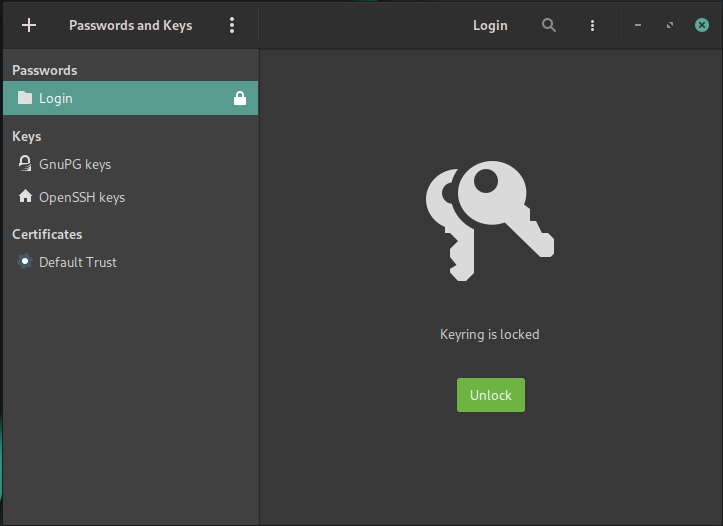
Seahorse (Passwords and Keys): GUI to view/manage keyrings, GPG/SSH keys, and certificates.
In any form/way/desktop Linux, your passwords are safe.
Integration with login: if the keyring password matches your user password and PAM is configured, the “Login” keyring unlocks at login user. Your app passwords are protected at rest; once the keyring is unlocked in your session, apps running as your user can access their permitted secrets. This is probably your situation.
If you don’t want automatic unlock at login: change the “Login” keyring password to a different one then, the first app that uses the keyring will prompt for the keyring password and it will stay unlocked until you log out.
(others advanced ways: remove PAM module on login and/or remove daemon autostart).
In Seahorse or KDE Wallet Manager you can change the password.
If you want to lock the keyring (and for some reason your user will remain logged in and unlocked), just click lock/close in kwallet or seahorse.
And… It’s works:
Keep security points in mind:
In addition to user passwords, encrypting the disk (the entire disk or just your /home directory) is very essential.
Make backups.
In Brave, sync feature is not backup.
If your user password is secure, your disk is encrypted, and your backups are up to date, it doesn’t make much difference to have different passwords for the keyring. Just lock the session if you are physically away from the computer.
One level above this would be to use a password manager (Keepass, Bitwarden, ProtonPass, etc.) and not worry about any local passwords on Linux.