Description of the issue:
Each Time I reboot my PC, brave is the default PDF app.
I need to have adobe as my default app. this is my computer work which power off every day at 6pm. And I need Adobe to sign some PDF form
How can this issue be reproduced?
I don’t know how to reproduce this. I try to change the Pdfdocumentoption, but it doesn’t change anything.
Expected result:
I expect my default app for pdf to be Adobe and to remain Adobe at each start-up
Brave Version( check About Brave):
1.39.111
Additional Information:
Hi
@PapaOurs
Try the following settings:
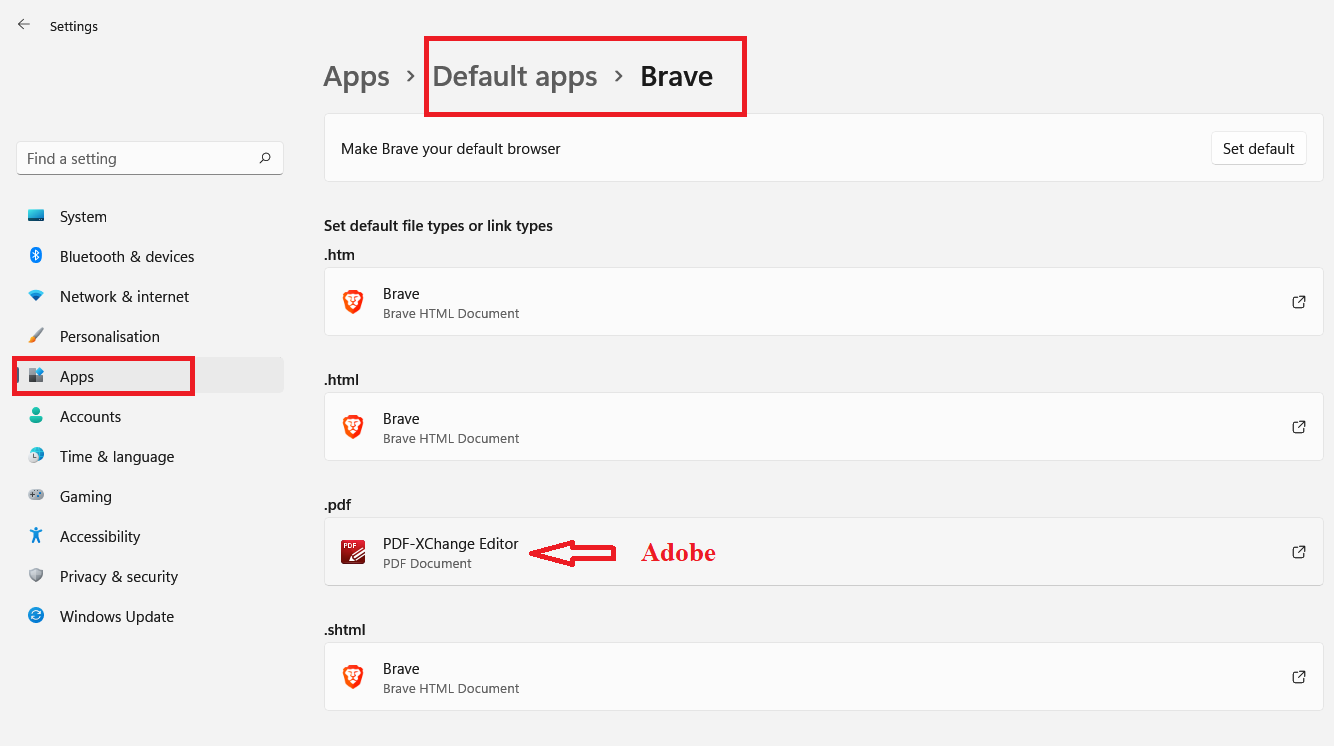
- Open Windows Settings and change default pdf app to Adobe as in image. Restart device to check.
- Open brave://settings/content/pdfDocuments?search=pdf and enable download pdf’s.
Note: If you want to open pdf files in Brave browser, enable Open PDFs in Brave and install the Adobe extension from https://chrome.google.com/webstore/detail/adobe-acrobat-pdf-edit-co/efaidnbmnnnibpcajpcglclefindmkaj
Hello, I already tried that.
It was related to adobe not Brave.
I repaired Adobe reader and set the pdf app again.
This time the reboot didn’t change the pdf reader back to Brave.
Thank you for your help