Hi I have an external speaker on my Mac computer. It connects through Bluetooth. I have just begun to use Brave but Bluetooth is not even showing on the top menu. How do I switch bluetooth on?
Thanks I appreciate advice.
Show Bluetooth in menu bar (Mac OS 10.12.n “Sierra”):

–
You might also want to look at, in a New Window:
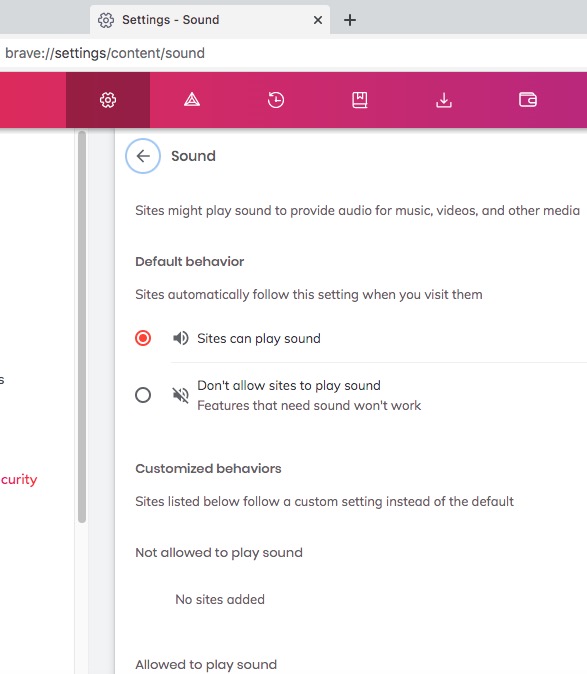
brave://settings/content/sound
–

brave://settings/content/sound is not working.

“brave://settings/content/sound is not working.” – the “is not working” part of your sentence . . . I am uncertain of your meaning, in the context of:
You originally asked: How do I switch bluetooth on?
You DO NOT need a Bluetooth PAN (Personal Area Network) connection, in order to connect a Bluetooth device, nor, in order to turn ON Bluetooth, nor, in order to display the Bluetooth icon in the menu bar.
The Bluetooth screenshot that I included, above (my reply 2), is of the Bluetooth window that results by clicking on System Preferences > Bluetooth (icon among the many icons of System Preferences):

Apple instructions, re Bluetooth icon in menu bar:
MacWorld article:
the link is not taking me to the page you posted above. It is not working?
Thanks Bluetooth is working on other browsers. I know how to get it to work but it is not working on the Brave Browser. Maybe it’s because I have firefox up as well since the brave browser isn’t quite functioning yet and am unable to work on it.
I am unable to find the sound icon anywhere. When I use search the link you gave in settings it does not take me to this page. Thanks.