“Export Passwords - Selecting Download file will export all credentials you’ve saved in your browser as a .CSV file onto your system. Note that anyone who has access to your system will be able to open and view this file, so it is recommended that you delete this file once you’ve used the file for its intended purpose.”
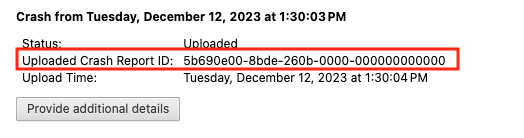
After you click the “Send Now” button, return to brave://crashes and gather up the Crash Report ID numbers that end with a string of zeros. Post the numbers, here, in a new reply. Example of a Crash Report ID number: